A system security plan, or SSP, is the master document that outlines every security control, policy, and procedure your organisation has in place to protect its IT systems and data. Think of it as the complete playbook for your security posture, explaining precisely how you meet your security obligations.
What is a System Security Plan For?
Many businesses, especially smaller ones, view security documentation as a chore. It can feel like a box-ticking exercise required for a certification like Cyber Essentials, only to be filed away and never looked at again. But this view misses the practical, commercial value a good SSP delivers.
An SSP is not meant to be a static document. It is a living guide that provides a clear, written record of your company's security health. For telecom providers and Managed Service Providers (MSPs), it is an indispensable tool for managing your own operations and demonstrating value to clients. It transforms security from a vague concept into a structured, measurable, and manageable part of the business.
It’s a Practical Blueprint, Not a Theoretical Essay
Your high-level security policy states what you are going to do. The SSP explains how you are actually doing it.
For instance, a policy might state, "All user accounts must be protected by strong passwords." That is a good start, but the SSP provides the necessary detail.
It would specify things like:
- The exact password complexity rules (e.g., 12 characters, including uppercase, numbers, and symbols).
- The specific multi-factor authentication (MFA) solution being used.
- The documented process for securely resetting a forgotten password.
- The schedule for reviewing who has access to what.
This level of detail is what makes it effective. It ensures that security rules are applied consistently, and gives your technical teams a single reference point. When a security question arises or an auditor visits, the SSP contains the definitive information.
An SSP turns vague security goals into concrete, actionable steps. It explains not just the controls you have, but why they are there, who is responsible for them, and how they are kept up to date. This shifts security from a reactive problem to a proactive strategy.
It’s About More Than Just Compliance
Meeting standards like NIST 800-171 is a major reason to create an SSP. However, the benefits go far beyond ticking a box. A solid plan is the foundation of genuine risk management. It forces you to assess your entire environment, identify weak points, and document exactly what you have done to address them.
This process helps prevent costly incidents before they occur. By mapping out all your system connections, for example, you gain a much clearer understanding of your attack surface and can close potential entry points for attackers. Understanding the potential impact of an incident is a huge part of knowing what a data breach truly means, and the SSP provides that crucial groundwork. If the worst does happen, the incident response section of your SSP gives you a pre-agreed plan to follow, making recovery faster and less chaotic.
For any IT provider, presenting a client with a well-structured SSP is a powerful statement. It shows you have a mature, professional approach to security. It builds trust, helps justify the investment in your services, and strengthens your relationship by offering tangible proof of the protection you provide. It is an excellent way to start meaningful security conversations and differentiate your business from competitors.
Preparing to Build Your Security Plan
Before you write a single word of your system security plan, you need to prepare the groundwork. It is tempting to start immediately, but rushing this preparation phase is a common mistake. It often leads to a plan that is vague, difficult to maintain, and ultimately, ineffective at protecting the business.
Think of it like building a house; you would not start without blueprints. The initial steps are not just about listing assets; they are about creating a complete picture of what you are protecting, who is responsible for it, and why it matters.
Define the System Boundary
First, you need to define your system boundary. This is simply a clear way of drawing a line around all the components you are responsible for securing. What hardware, software, data, and even people fall under this plan?
You need to be specific. For an MSP managing a client's network, the boundary might include:
- All company-owned servers, laptops, and mobile devices.
- The cloud services in use, like Microsoft 365 or other SaaS applications.
- The network equipment itself—firewalls, switches, and wireless access points.
- The actual data being processed and stored within that environment.
A well-defined boundary prevents "scope creep" and makes sure everyone knows exactly what the SSP covers. It clarifies which assets are in scope for security controls, preventing dangerous assumptions later on.
This clarity is critical. It is not unusual for significant security gaps to appear simply because nobody had a complete inventory of what they owned. A recent government assessment found 58 critical departmental IT systems in the UK had serious cyber resilience gaps, mostly due to basic failures in asset management. You can see the full story in this analysis of government IT security.
Assign Clear Security Responsibilities
Security may be a team effort, but accountability must be individual. Your SSP must name the people responsible for implementing, monitoring, and maintaining your security controls. Vague statements like "the IT department will handle it" are not sufficient.
Instead, be specific with roles. For instance:
- System Owner: A senior manager who is ultimately accountable for the system and its security.
- Information Owner: The person responsible for classifying and protecting the data within the system.
- System Administrator: The hands-on technical person responsible for the day-to-day implementation of security controls.
Assigning these roles means there is always a designated person to handle a specific task, whether it is patching a server or responding to an alert. It builds a culture of ownership and turns your security plan from a theoretical document into an actionable one. For a deeper dive into protecting your data, our guide on data leak prevention strategies offers more practical advice.
Create a Comprehensive Asset and Data Inventory
Once you know your boundary and who is responsible, it is time to create a detailed inventory of everything inside it. This means cataloguing all your hardware and software, and just as importantly, classifying the data they handle.
This simple process flow shows how identifying what you have is the essential first step.
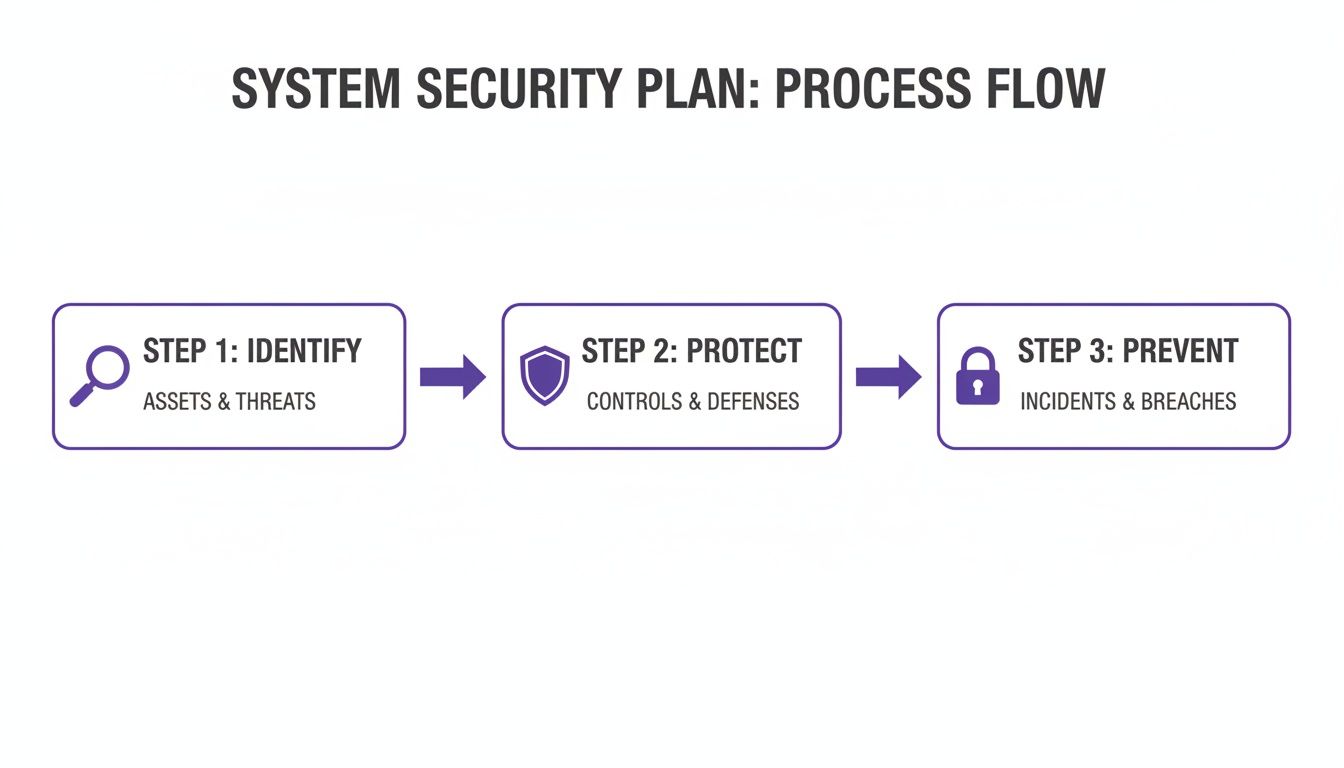
The logic is simple: you cannot protect what you do not know you have.
Data classification is particularly important because not all data is created equal. You need to sort your information based on its sensitivity—using categories like public, internal, confidential, or restricted. This directly informs the level of security required. Customer financial data, for example, requires far stronger protection than a public-facing marketing brochure. This approach ensures you focus your resources where they are needed most.
Having completed the preparation, it is time to build your System Security Plan. A proper SSP is not just a dry list of software and hardware; it is the story of how your organisation protects its most valuable digital assets.
Each part of the plan has a specific job, painting a complete picture for everyone from your technical team to auditors and senior management. It is how you turn abstract security policies into concrete, day-to-day actions that people can follow.
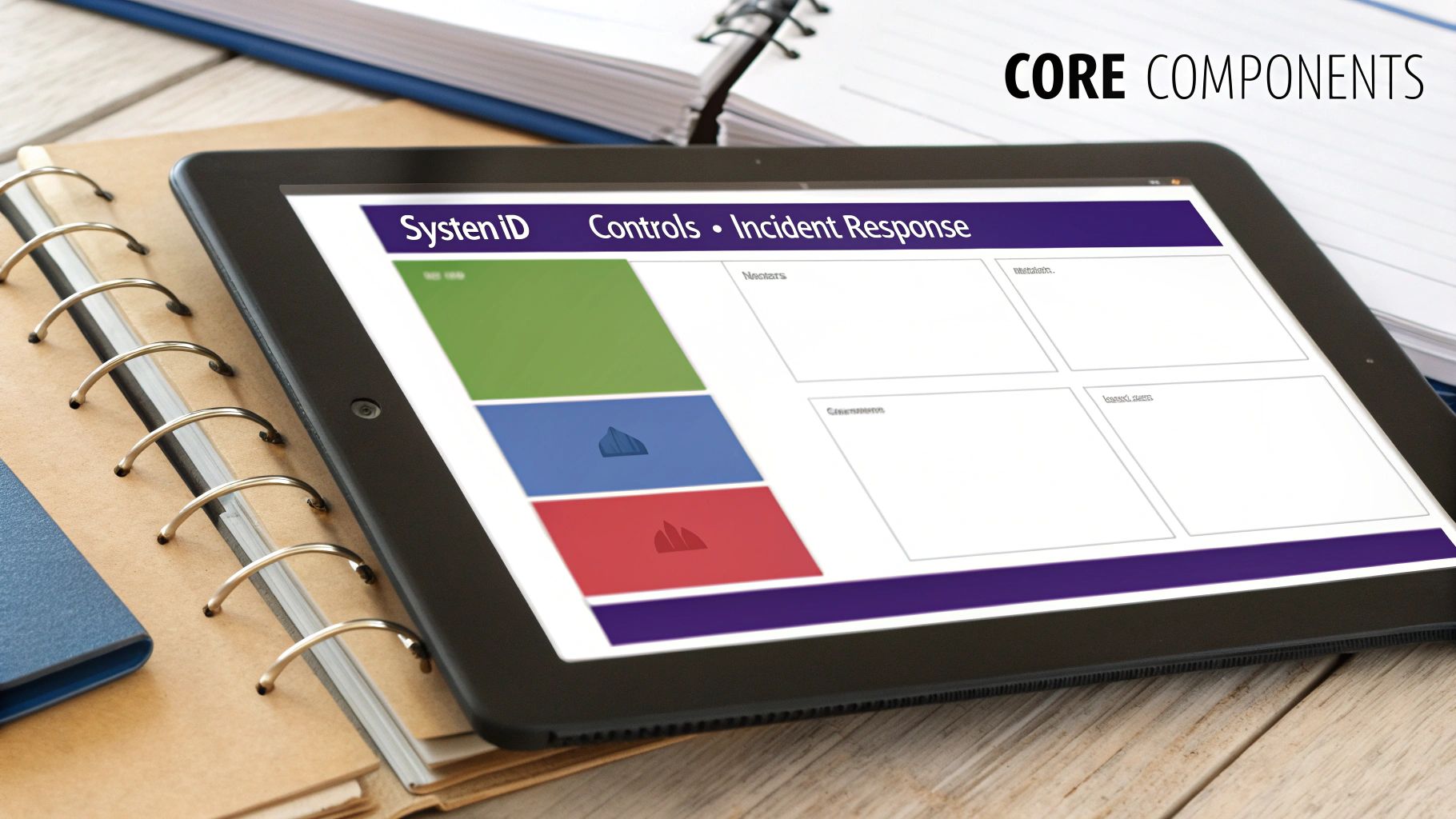
Key SSP Components and Their Purpose
A well-structured SSP breaks down your security posture into logical, digestible sections. This framework ensures you do not miss anything critical and makes the document easy for anyone to navigate. Below is a breakdown of the essential components every effective SSP should include.
| SSP Component | Required Information | Primary Purpose |
|---|---|---|
| System Identification | System name, owner, purpose, operational status, information types (e.g., CUI, PII), and a high-level description of the environment. | To set the scene and clearly define the scope of the plan. It's the "what" and "why" of the system. |
| Security Controls | Detailed descriptions of how each security control is implemented, mapped to relevant compliance frameworks (e.g., Cyber Essentials). | To provide concrete proof of security measures, moving from policy to practice. This is the heart of the SSP. |
| Incident Response | Defined roles, response phases (detection, containment, recovery), and a clear communication plan for internal and external stakeholders. | To ensure a calm, organised, and effective response during a security event, minimising damage and downtime. |
| Ongoing Maintenance | Schedule for regular reviews, a log of changes and updates, and procedures for continuous monitoring. | To keep the SSP a living, relevant document that adapts to new threats and changes in the IT environment. |
By meticulously documenting each of these areas, you create a comprehensive and defensible security narrative that stands up to scrutiny.
Nailing the Details: What to Include in Each Section
Let’s examine the details of what makes each of those sections truly effective.
System Identification and Environment
Think of this first part as the executive summary. It needs to give anyone reading it a quick, high-level understanding of what system this plan is for, what it does, and its operational status.
You need to clearly state the system’s official name, who owns it, and who the authorising official is. More importantly, this is where you describe what the system is actually for. Is it a CRM handling sensitive client data? Or an internal file server storing operational documents? Be specific.
You also need to map out the technical environment. Network diagrams and data flow charts are extremely useful here. They visually show how information moves into, through, and out of the system, providing crucial context for understanding potential weak spots.
Security Control Implementation
This is where the main work happens. It is the longest and most detailed part of your SSP, and for good reason. Here, you need to document every single security control you have in place, linking each one back to specific requirements from frameworks like Cyber Essentials or NIST 800-171.
But you are not just making a list. You have to explain how each control is implemented.
For instance, when documenting access controls, do not just write, “We use multi-factor authentication.” That is not enough. A proper entry would detail:
- The specific MFA solution you are using (e.g., authenticator app, YubiKey).
- Which roles or user groups are required to use it.
- The documented process for enrolling new staff and, crucially, revoking access when they leave.
- The person or team responsible for managing the MFA system.
The aim here is to provide enough detail that an auditor or new IT team member could understand your entire security setup without having to ask numerous follow-up questions. It is about proving due diligence through clear, exhaustive documentation.
For MSPs, this section is a significant value-add. It is where you can document all the protective measures you manage for a client, from firewall rules to endpoint protection. This tangible evidence not only justifies your fees but also highlights your security expertise.
Incident Response Procedures
No security plan is worthwhile without a clear playbook for when things go wrong. An incident can be anything from a minor policy breach to a full-scale ransomware attack. Your SSP must outline the exact, repeatable steps your team will take.
This section must include:
- Roles and Responsibilities: Who is on the incident response team? Who has the authority to make critical decisions, like taking a system offline?
- Response Phases: Lay out the entire process, from the first moment of detection and analysis, through to containment, eradication, and returning to business as usual.
- Communication Plan: Who needs to be told what, and when? This covers internal stakeholders, clients, and potentially regulators like the ICO.
A solid incident response plan prevents panic and ensures a measured, effective reaction. It minimises damage and helps you recover quickly. To better understand how these incidents often begin, it is worth learning more about how you can prevent social engineering attacks, as they are a very common starting point.
Turning Your Plan into a Proactive Defence
A system security plan gathering dust on a server is little more than a box-ticking exercise for compliance. Its real value—for your bottom line and your security—is only realised when it is connected to live, proactive security measures. This is how you transform a static document into an active defence, closing the gap between theory and reality.
The tools and services you use are what bring your SSP to life. They provide continuous, tangible proof that the controls you have documented are actually working. Without that live feedback, your plan is just a collection of assumptions, not a reflection of your current security posture.
Verifying Controls with Continuous Monitoring
One of the most vital parts of any security posture is knowing your access controls and credential policies are effective. Your SSP might state that all privileged accounts require strong, unique passwords and multi-factor authentication. That is excellent, but how do you prove those credentials have not already been compromised?
This is where white label dark web monitoring becomes indispensable. A service like GoSafe provides continuous, automated scanning of criminal marketplaces and forums, actively searching for compromised emails, passwords, and other credentials linked to your business domains.
An alert for a compromised email is not just an isolated problem. It is a real-world stress test of your documented security controls. It provides immediate, actionable intelligence that turns your SSP's incident response section from a theoretical guide into a practical exercise managed by your IT provider.
This approach changes the dynamic, shifting security from a periodic audit to a state of constant validation. You are no longer waiting for an annual check-up to find weaknesses; you are getting real-time intelligence from the places where cyber threats originate.
Activating Your Incident Response Plan
When a dark web monitoring tool flags a compromised credential, it is the starting signal for your incident response procedures. Suddenly, the plan is not a theoretical guide—it is an operational playbook.
Consider this common scenario:
- The Alert: GoSafe detects an employee’s corporate email and password in a new data breach from a third-party service they used. An instant, non-technical alert is sent to your IT provider.
- The Trigger: This alert immediately activates the "Compromised Credentials" section of the client's SSP. There is no hesitation or debate.
- The Action: Following the documented steps, the IT provider forces a password reset, checks for unusual login activity, and confirms MFA blocked any unauthorised access attempts.
- The Update: The incident and the successful response are logged, creating a clear audit trail. You now have hard evidence that your security controls and response plan worked exactly as designed.
This simple process shows the practical power of integrating a monitoring service. It provides the early warning you need to act before a credential can be used maliciously, turning a potential disaster into a routine security task. It is this proactive stance that strengthens customer relationships and demonstrates the real-world value an MSP or telecom provider delivers.
For many UK businesses, this level of proactive defence is still not standard practice. The government’s Cyber Essentials scheme has been running for over a decade and awarded over 33,000 certificates last year—a 20% increase. But that is a small fraction of the UK's 5.5 million private businesses. Furthermore, only 11% of organisations review cybersecurity risks in their own supply chains, creating huge systemic vulnerabilities. You can read more about this in the UK government's Cyber Growth Action Plan final report.
By offering services that turn a system security plan into an active defence, telecom and IT providers can help their clients close these dangerous gaps.
To see how easily you can build this capability into your offering, add white-label dark web monitoring to your service stack.
How to Keep Your Security Plan Relevant
Writing and approving your system security plan is a major milestone, but it is not the finish line. That document is just the starting point.
The real work is keeping it alive and relevant, so it accurately reflects your security posture day-to-day. An outdated SSP sitting on a server is worse than useless—it provides a false sense of security that is more dangerous than having no plan at all.
For telecom and IT providers, this is a significant commercial opportunity. Offering SSP maintenance as a managed service turns a one-off project into a continuous, high-value partnership. By managing the lifecycle of the SSP, you demonstrate a long-term commitment to your client's security, build predictable recurring revenue, and establish yourself as their indispensable security advisor.
Establishing a Practical Review Schedule
A security plan should never be static. Your IT environment is always changing—new users, different software, and threats that evolve weekly. Your plan must keep pace.
The key is to establish a sensible rhythm of reviews that works for the business.
A full, formal review should happen at least annually. This is your chance to get key stakeholders together and go through the entire document, line by line. Does it still make sense? Does it align with business goals and the current threat landscape?
Beyond that yearly check-in, certain events should trigger an immediate, ad-hoc review. These are non-negotiable.
- A Major System Change: Rolling out a new cloud service, overhauling the network, or deploying a core application.
- A Security Incident: After any breach or significant event, the SSP must be updated with lessons learned and new controls.
- New Compliance Mandates: When regulations like GDPR change or new industry standards are introduced, you need to check your plan is still compliant.
- Key Personnel Changes: If a system owner or key security contact leaves, you must officially update those roles and responsibilities.
Who Needs to Be Involved
An effective review is not a solo job for the IT team. To get the full picture, you need input from across the business. Your core review team should always include:
- The System Owner: The senior manager who is ultimately accountable for the system and its data.
- Technical Leads: The system administrators or engineers who manage the controls every day.
- A Management Representative: Someone from the leadership team who understands the business context and the risks involved.
- Your MSP or IT Partner: Their input is vital, as they are often the ones implementing and monitoring most of the controls.
This collaborative approach ensures the SSP reflects both technical reality and business priorities, which makes it a far more powerful tool.
A system security plan is not a "fire and forget" document. It requires a defined lifecycle of review, update, and validation to remain an effective defence. This ongoing management is a prime opportunity for IT providers to deliver lasting value.
This need for constant vigilance is not just best practice; it is being acknowledged at a national level. The UK government recently had to launch a rebooted Cyber Action Plan, admitting that its existing strategy was not on track to meet its 2030 resilience goals. It is a powerful reminder of how quickly security plans become outdated without a robust review process. You can read the details of this new government cyber security initiative here.
Documenting Changes and Maintaining Version Control
When you update your SSP is important, but how you document those changes is just as critical. Without strict version control, your plan can easily become a confusing mix of old copies and conflicting advice.
Your process does not need to be complicated, just rigorous. Every time the SSP is changed, you must:
- Update the Version Number: Use a simple system (like v1.0, v1.1, v2.0) to track major and minor updates.
- Log the Changes: Keep a change log or revision history at the start of the document. Note who made the change, when they made it, and a brief summary of what was updated.
- Archive Old Versions: Never delete previous versions. Keep them in a dedicated archive folder. This creates an audit trail and can be invaluable for understanding how your security posture has evolved.
This discipline is what maintains your SSP as the single source of truth for your organisation's security controls. For MSPs, managing this process for clients provides tangible proof of ongoing governance and makes the security partnership even stronger.
Ready to position your business as a strategic security partner? View the GoSafe reseller programme and discover how to offer proactive dark web monitoring under your own brand.
Common Questions About System Security Plans
When it comes to the practicalities of creating a System Security Plan, a few questions always arise. Business owners and IT providers alike want to know what they are committing to. Let's address some of the most common ones.
How Long Does It Take to Create a System Security Plan?
The honest answer is that it depends on the complexity of your IT setup.
For a small business with a straightforward, well-documented network and a couple of cloud services, you could probably produce a solid SSP in a few days. The most important factor is having a clear asset inventory before you start.
On the other hand, for a larger organisation with complex data flows, multiple sites, and legacy systems, it could take several weeks. The goal is to get it right, not to get it done quickly. Using established frameworks can certainly speed up the process, but there is no substitute for the meticulous work of matching controls to your actual assets.
Is an SSP the Same as a Disaster Recovery Plan?
No, but they are two sides of the same coin and must work together.
Think of it like this:
- A System Security Plan (SSP) is about being proactive. It details every security control you have in place to prevent an incident from happening. It is your fortress wall.
- A Disaster Recovery (DR) Plan is reactive. It is the step-by-step playbook you use after the wall has been breached. It is focused on restoring operations and limiting the damage.
So, if a breach bypasses the controls documented in your SSP, that is the trigger to use your DR plan. One prevents, the other responds.
How Can MSPs Add Value with an SSP Service?
For any MSP or IT provider, offering SSP creation and maintenance is not just another service—it is a significant commercial opportunity. It shifts your position from being "the IT support company" to a genuine strategic security partner. An SSP is a tangible, high-value asset that clients can see and understand.
For an IT provider, an SSP is more than just a document; it is a commercial tool. It helps clients meet compliance needs, justifies investments in better security, and builds a compelling business case for proactive services like continuous dark web monitoring.
This kind of service creates a predictable, recurring revenue stream built on governance and trust. It solidifies your client relationships because it proves you have a deep, documented understanding of their security posture. That makes your services incredibly sticky and sets you miles apart from competitors still operating in a break-fix model.
As a strategic partner, GoSafe gives you the ability to deliver the proactive monitoring that proves the controls in your SSP are actually working. By continuously scanning for compromised credentials, you provide clients with the live intelligence they need to stay one step ahead of threats.
Book a demo of GoSafe’s white-label dark web monitoring to see how you can offer this essential service under your own brand.