
You've just finished a breach call. The client wants to know whether the file you found on the server is genuine, who touched it, and whether it can be used in a complaint, an insurance claim, or a legal review. If your notes are vague, or if the evidence has passed through several hands without a clear log, the technical findings may still be useful, but the chain behind them starts to look fragile. That's where chain of custody earns its place in incident response, because it protects both the evidence itself and the trust your team has built with the client.
Chain of Custody Explained
An MSP can uncover a mailbox export, a suspicious log bundle, or a copy of leaked credentials and still face a simple problem. If nobody can prove who handled it, when it moved, why it moved, and how it was protected, the evidence becomes harder to trust.
Chain of custody is that documented trail. In UK evidence practice, it is the record showing who handled an item, when it was transferred, why it moved, and how it was safeguarded from collection to disposal or return, with each transfer logged by time and responsible person so the item stays traceable through its lifecycle. That same logic applies whether the item is a hard drive or a server log.
For MSPs, this matters because breach response is rarely just technical. The client may need to brief lawyers, insurers, regulators, or a board member who wants a straight answer about integrity. If you can't show the evidence trail, you may still know what happened, but you can't always prove it cleanly.
Practical rule: treat every artefact as if it may later be reviewed by someone who wasn't in the room when you found it.
That mindset keeps your evidence handling disciplined from the start, which is far cheaper than trying to reconstruct it later.
Understanding Key Concepts
Think of chain of custody like a relay race. The baton is the evidence, and every handover has to be visible, timed, and accounted for. If one runner disappears from the record, the race may still have happened, but the result is harder to defend.
What the record really needs to show
A proper chain of custody must document every transfer from seizure onward, including receipt, safeguarding, and final disposition, with dates, case numbers, and custodian signatures. For digital evidence, the practical requirement is a continuous, attributable trail across collection, safeguarding, analysis, and disposition, because courtroom verifiability depends on that continuity.
That means the record should answer a few plain-language questions.
- What was it? Use a clear description, not a vague label like “file”.
- Who had it? Record the named custodian, not just a team name.
- When did it move? Capture the date and time of each transfer.
- Why did it move? Note the purpose, such as collection, review, or storage.
- How was it protected? Describe the method used to prevent tampering or loss.
The point is traceability. Courts need to be satisfied that the item presented is authentic and unaltered, not swapped, contaminated, or modified during handling. That principle applies to physical objects and to files, logs, images, and other electronic records.
For MSP decision-makers, this is also a commercial issue. A clear evidence trail helps your engineers work with confidence, gives the client cleaner updates, and supports a more professional incident response process. If you're also working on broader governance, a complying with GDPR regulations resource can sit alongside your internal evidence process, because privacy handling and evidence handling often overlap in the same case.
Legal and Operational Importance
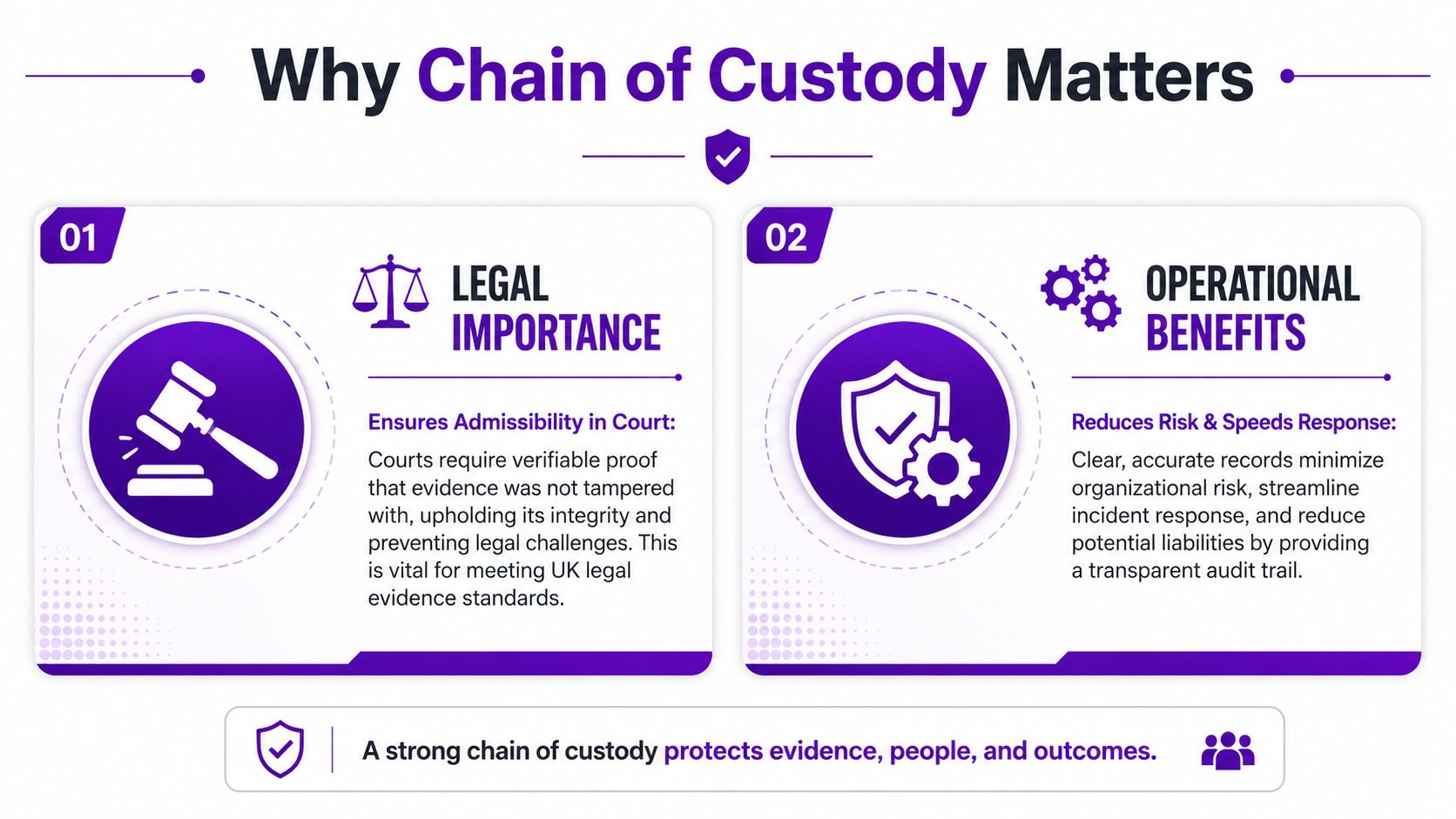
The legal value of chain of custody is simple. If you can't show the evidence stayed identifiable and untampered with, the other side can challenge it. UK-facing forensic guidance and widely used standards point to the same core idea, the record has to show continuity and accountability across the full evidence lifecycle, not just a list of names on a form. For digital evidence, that continuity is especially important because electronic items are easier to copy or alter than physical ones, which is why the record must include the purpose of transfer and who handled each step.
Why clients care even when they don't ask for it
Most clients don't ask for chain of custody in those words. They ask whether the compromise is real, whether the artefact is trustworthy, and whether the response is defensible. Strong custody records help you answer all three without hand-waving.
Operationally, the benefits are just as practical. Clear logs reduce confusion when multiple analysts touch the same item, and they make it easier to explain what happened if the investigation shifts from internal triage to legal review. That can be the difference between orderly escalation and a messy scramble to rebuild a timeline from memory.
Here's a useful way to think about it. Evidence handling is not only about preserving the file, it's about preserving the story attached to the file. If that story is incomplete, you invite challenge even when the underlying facts are sound.
Keep the process boring. Boring evidence handling is usually good evidence handling.
For MSPs, that also supports credibility with regulated customers and with vendors you may need to involve later. If a cloud workspace, archive, or ticketing system is used during the response, every movement should still be recorded so the audit trail remains clear.
Essential Documentation Elements
A phone call comes in after a suspicious archive is found in a client tenant. The analyst who collected it is off shift, the ticket has moved twice, and someone now needs to explain exactly what happened to that file. Good chain-of-custody records make that answer possible without rebuilding the story from memory.
The records do not need to look polished. They need to be consistent, readable, and used the same way every time, so each engineer, analyst, or incident lead leaves the same trail behind them.
The five fields that matter most
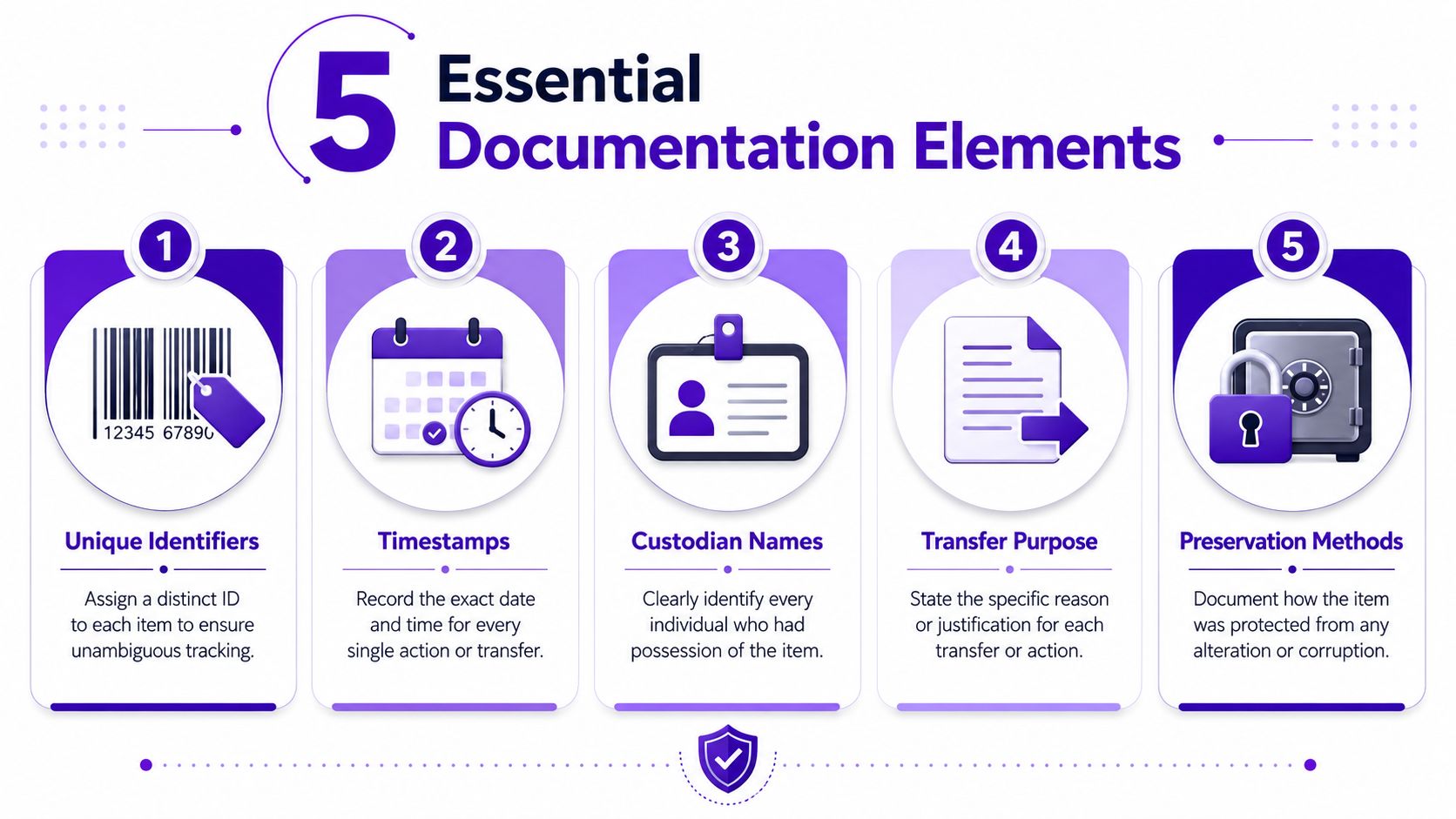
Start with unique identifiers. Each item needs a distinct label so nobody can confuse one log export, disk image, or email archive with another. That label can be a serial number, a case reference, or another tag that stays with the evidence from collection through review.
Next come timestamps. Record the date and time for every transfer, review, and handover. If the record only says “later that day”, it gives little help when someone has to reconstruct the sequence or answer a challenge from a client, auditor, or legal team.
Then add custodian names. The trail should identify the person who received the item, not only the team or department. That level of detail makes accountability clearer and removes guesswork when several people have touched the same evidence.
The fourth field is transfer purpose. NIST's definition includes why the item moved, and that matters because a handover for analysis is different from a handover for storage. The reason should be plain and short, so a reviewer can see the intent at a glance.
Finally, document preservation methods. Write down how the item was protected, sealed, copied, isolated, or stored so it could not be altered in transit. If the evidence was handled inside a cloud workspace or incident platform, the same habit applies, because the trail still has to show who touched what and why. For teams that also need a broader control framework, the guide to ISO 27001 requirements is a practical companion reference.
| Sample Chain of Custody Resources | Purpose |
|---|---|
| Paper evidence form | Records physical handover details and signatures |
| Digital evidence log | Tracks file movement, access, and review history |
| Client custody checklist | Helps standardise collection and storage steps |
| Vendor transfer record | Documents external access to evidence |
| White-label incident pack | Lets MSPs brand custody materials for clients |
If you're building service bundles, these templates can be branded, renamed, and added to recurring response retainers without needing to rebuild the process from scratch. They also fit naturally into white-labelled dark-web monitoring and breach response work, where clients want clear records but often see the process only through your team's service wrapper. For cloud-heavy teams, securing cloud access for teams helps close the gap between access control and custody tracking, because the same loose permissions that expose data can also blur the audit trail.
Applying Chain of Custody to Digital Evidence
Digital evidence needs a more careful touch than many teams expect, because the original item can be copied, altered, or synchronised without leaving obvious damage. NIST's glossary points to the need for documentation across collection, safeguarding, analysis, and disposition because electronic items are easier to duplicate or alter, and that is why a digital trail has to be tighter than an ordinary file share history.
A workable response flow
Start by separating originals from working copies. If an email export, log file, or disk image is collected, the original should stay protected while analysts work from a controlled copy. That simple split helps avoid accidental changes during review.
Then record the collection method, the person who collected it, and the reason for the transfer. If a write-protected copy is made, note that in the log. If a file is handed into cloud storage or transferred to a vendor, that movement needs its own entry too, because the chain does not stop when the item leaves your laptop.
A useful support point for cloud-heavy teams is securing cloud access for teams, because access control and custody tracking often fail for the same reason, too many people can reach the same data without a clean audit trail.
For incident response teams, the GoSafe incident response guide can sit beside your internal workflow as a reference point for preserving artefacts while decisions are being made.
Useful habit: if a vendor, analyst, or client can touch the item, assume the next person will need to know exactly when and why they did it.
That's especially important when handling credentials, breach exports, or cloud artefacts, where one copied file can easily become many. A clean log is often the difference between a useful forensic path and a collection of disconnected screenshots.
Common Pitfalls and Best Practices
The most common mistake is also the easiest to avoid. Someone moves the evidence, but the log gets updated later, or not at all. Once that happens, the investigation starts relying on memory, and memory is a poor control.
Where chains usually break down
Missing timestamps cause friction because nobody can tell whether the item sat unattended or was reviewed immediately. Unclear transfer reasons create the same problem in a different form, because a reviewer can't tell whether the move was operationally necessary or merely convenient. Improper sealing, or no sealing at all, gives the other side an easy argument that the item could have been altered.
There's a more nuanced point here. Courts may still accept evidence despite gaps if the item stayed sealed and a credible explanation for a missing link exists, but failing to document transfers often creates unnecessary legal challenges. That means a broken note isn't always fatal, but it is never harmless.
The best practice is to make the process harder to bypass.
- Use standard forms: force every engineer to capture the same fields in the same order.
- Keep digital audit trails: log access, transfer, and review activity wherever evidence is stored.
- Seal original media properly: if the item is physical, make tampering visible.
- Train regularly: people forget edge cases, especially under incident pressure.
- Review logs after each case: small errors are easier to fix before the next investigation starts.
For MSPs, the commercial value is clear. Tight custody procedures reduce risk, improve professionalism, and make your incident response offer easier to trust. They also give your team a clean structure that can be repeated across clients instead of reinvented every time.
Templates and Checklist Examples
A usable chain-of-custody pack should be simple enough for a busy engineer and clear enough for a client's legal team. That usually means three items, a form, a log, and a checklist.
What to include in each asset
A sample chain of custody form should cover item description, unique identifier, custodian name, date and time, purpose of transfer, preservation method, and final disposition. A digital evidence log template should capture access events, review notes, and storage changes in chronological order. A client checklist should show the practical steps for collection, sealing, transfer, and retention.
The best version of these tools is the one your team will use. Keep the language plain, leave space for signatures or approvals, and make sure the branding reflects your company rather than a generic template. That way, the documents can sit inside a monthly service bundle and feel like part of your own operating process.
For MSPs and resellers, these assets work best when they're presented as part of a wider service rather than as isolated paperwork. A simple custody pack can support breach response retainers, compliance support, and client reporting without creating extra overhead.
Moving Forward with Chain of Custody
Chain of custody isn't only a legal habit, it's a business habit. MSPs that handle evidence well tend to reduce liability, move faster during incidents, and build more trust with clients who need clear answers under pressure. The same discipline also makes it easier to package response services in a repeatable, branded way.
That's why many providers pair evidence handling with a separate monitoring offer. A white-label dark web monitoring service can sit alongside your response process, giving clients early warning when compromised email addresses, exposed passwords, or breached domains appear on the dark web. GoSafe is built as a white-label dark web monitoring tool, so partners can sell dark web monitoring under their own brand and add a recurring service without building the platform themselves.
For MSPs, telecom providers, hosting companies, and resellers, that combination is practical. You preserve the chain behind the evidence, and you add a service that helps clients spot credential exposure earlier. It's a clean commercial fit for recurring revenue security services.
A CTA for GoSafe Dark Web monitoring. Join the GoSafe Reseller Programme to offer white label dark web monitoring under your own brand, see how the platform works for service providers, and book a demo of a reseller dark web monitoring service for businesses.