
55% of UK adults, nearly 30 million people, said they'd had personal data lost or stolen in the ICO 2024 Public Attitudes on Information Rights Survey findings. That changes the conversation. Credential theft isn't a rare failure you prevent once and forget. It's a constant supply of exposed identities you have to find, rank and shut down before someone uses them.
What Credential Theft Really Means in 2026
Credential theft means an attacker gets hold of something that proves identity. That includes passwords, session tokens, API keys and cloud access credentials, not just the password typed into Microsoft 365 or Google Workspace. Once the attacker has it, they don't need to break in. They sign in.
That's why I tell MSP owners to stop treating this as a malware problem. The NCSC guidance on suspicious credential usage identifies compromised credentials as a cause behind a large proportion of the incidents it handles, regardless of attacker sophistication. The activity can look legitimate because it uses valid login flows, approved applications and normal permissions.
Three stages, three different jobs
Separate the stages and your response gets clearer.
- Capture: A password, token or key is taken through phishing, a breach, malware or social engineering.
- Weaponisation: The credential is tested, sold, bundled into a leak or tried against other services where the user may have reused it.
- Account takeover: The attacker signs in, reads email, creates forwarding rules, resets other passwords, opens cloud storage or moves through single sign-on.
A leaked password can outlive the original breach. If your customer changed the breached shopping account but kept the same password for remote access, the risk is still live. Password reuse turns one exposure into several potential entry points.
Endpoint protection alone won't catch this reliably. There's often no malicious file on the device when the stolen identity is used. You need identity telemetry alongside it: unusual geography, impossible travel, unfamiliar devices, abnormal access times, unexpected application consent and sudden mailbox rule or privilege changes.
Practical rule: Treat an exposed credential as an identity that may already be usable, not as an old breach record to file away.
That mindset matters commercially too. Customers don't buy abstract threat intelligence. They understand a plain statement: this employee email and password were found exposed, this is what that could enable, and this is the reset we've now forced. Early warning, visibility and a clear next step are the value.
The Main Methods Attackers Use to Steal Credentials
Phishing still does most of the work because it's cheap and it targets behaviour. Among UK businesses that identified an attack in the survey cited in the NCSC UK Legal Sector cyber threat report, 79% reported phishing attempts as the most common threat vector. That figure describes attacked businesses identifying phishing. It doesn't mean 79% of all UK businesses were compromised.
The typical sequence is dull, which is why it works. An employee gets a believable email about a shared document or an expiring password. The link opens a page imitating Microsoft or Google. They enter their username and password, the attacker captures both, and the page may then pass them to the legitimate service so nothing looks wrong. For a closer look at the variants customers fall for, see phishing types with GoSafe Dark Web.

Breaches and credential stuffing
Third party breaches supply the raw material. A retailer, forum or supplier loses a database containing your customer's work email and a password they've reused elsewhere. Attackers then test combinations automatically against email, VPN, cloud and finance services. That's credential stuffing, and it succeeds because people repeat passwords far more often than they admit.
Keyloggers and infostealer malware take a different route. They record keystrokes or extract saved passwords, cookies and session data from the browser. The user may never see a fake login page at all.
Tokens and MFA fatigue
Session token theft is the method many smaller businesses miss. If an attacker steals an active session token, they may continue an authenticated session without knowing the password. MFA fatigue works on the person instead. The attacker already has the password, triggers repeated push prompts, and waits for the tired user to approve one.
Don't get lost in the method. The outcome is the same: an authentication secret is now controlled by someone else. Your job is to find exposed identities quickly, decide which ones matter most and invalidate them before the attacker gets value from them.
The Real Business Impact of Stolen Credentials
The business impact starts with frequency. The UK Cyber Security Breaches Survey 2025 found 43% of UK businesses reported a cyber breach or attack in the previous 12 months. Among affected organisations, 85% reported phishing. The same survey estimated approximately 7.87 million phishing cyber crimes against UK businesses and 595,000 hacking cyber crimes during that period.
Those numbers matter because phishing commonly captures a password, MFA approval or session related information. From there, the attacker can move to account takeover, business email compromise, fraud or internal reconnaissance. One mailbox can expose invoices, supplier bank details, password reset messages and the context needed to impersonate a finance contact convincingly.

The costs customers don't expect
Your engineers reset accounts and revoke sessions. Your customer then deals with the longer tail: staff time lost to investigation, suppliers and clients asking whether payment instructions can be trusted, possible regulatory notification work and difficult conversations with insurers. Customers may leave because confidence has gone, even if the technical incident is closed.
There's a human cost too. ICO research on tightening up data privacy reported that 69% of people who'd experienced a breach said it had a negative impact on their lives, including loss of trust, emotional distress or financial loss. It also found 73% had shared at least one type of security information with another person, including streaming logins, device passcodes or bank login information.
That behaviour doesn't stop at the office door. People share, reuse and store authentication details carelessly across personal and work services. For an MSP, the commercial point is simple. If you wait for the customer to discover misuse, you're selling incident response under pressure. If you detect exposure early, you're providing calm, proactive value.
A stolen credential is cheap for an attacker to try and expensive for your customer to clean up. That imbalance is the whole problem.
How Dark Web Monitoring Fits Into Detection
Dark web monitoring doesn't stop a user entering a password into a fake page. Be honest with customers about that. It detects the consequences earlier by continuously scanning leaked datasets, forums, marketplaces and data dumps for compromised email addresses, exposed passwords and breached domains.
That early warning is valuable because exposure and discovery are often far apart. A credential can circulate, be resold and be tested while the business still believes the account is safe. Domain monitoring lets you watch a customer's company email domain at scale rather than checking individual addresses only after somebody asks.
What a useful alert contains
A frightening headline isn't a service. A useful alert should give the customer enough information to act without needing a security analyst beside them.
- Exposed identifier: The email address, domain or account found.
- Breach context: The affected service and breach date where available.
- Severity: A clear risk level based on what was exposed.
- Recommended action: Reset the password, revoke sessions, check MFA or escalate to you.
Risk scoring should combine exposure recency, likely password reuse, account privilege, domain sensitivity and any evidence of attempted authentication. An old leak tied to a low value personal service isn't the same as a fresh plaintext password for a finance mailbox or global administrator.
GoSafe is a dark web monitoring tool built around continuous scanning, breach breakdowns, domain monitoring and clear alerts. It's fully white label, so partners can present the platform under their own company name and keep ownership of the customer relationship. For the customer facing explanation of the monitoring model, use GoSafe dark web monitoring for business.
Customers who ask how business monitoring differs from consumer protection products sometimes want a broader comparison before they decide. Point them to an independent roundup where they can compare top identity theft services, then bring the discussion back to domains, employee identities and response ownership. That's where your service earns its monthly fee.
MFA, Password Hygiene and the Controls That Actually Help
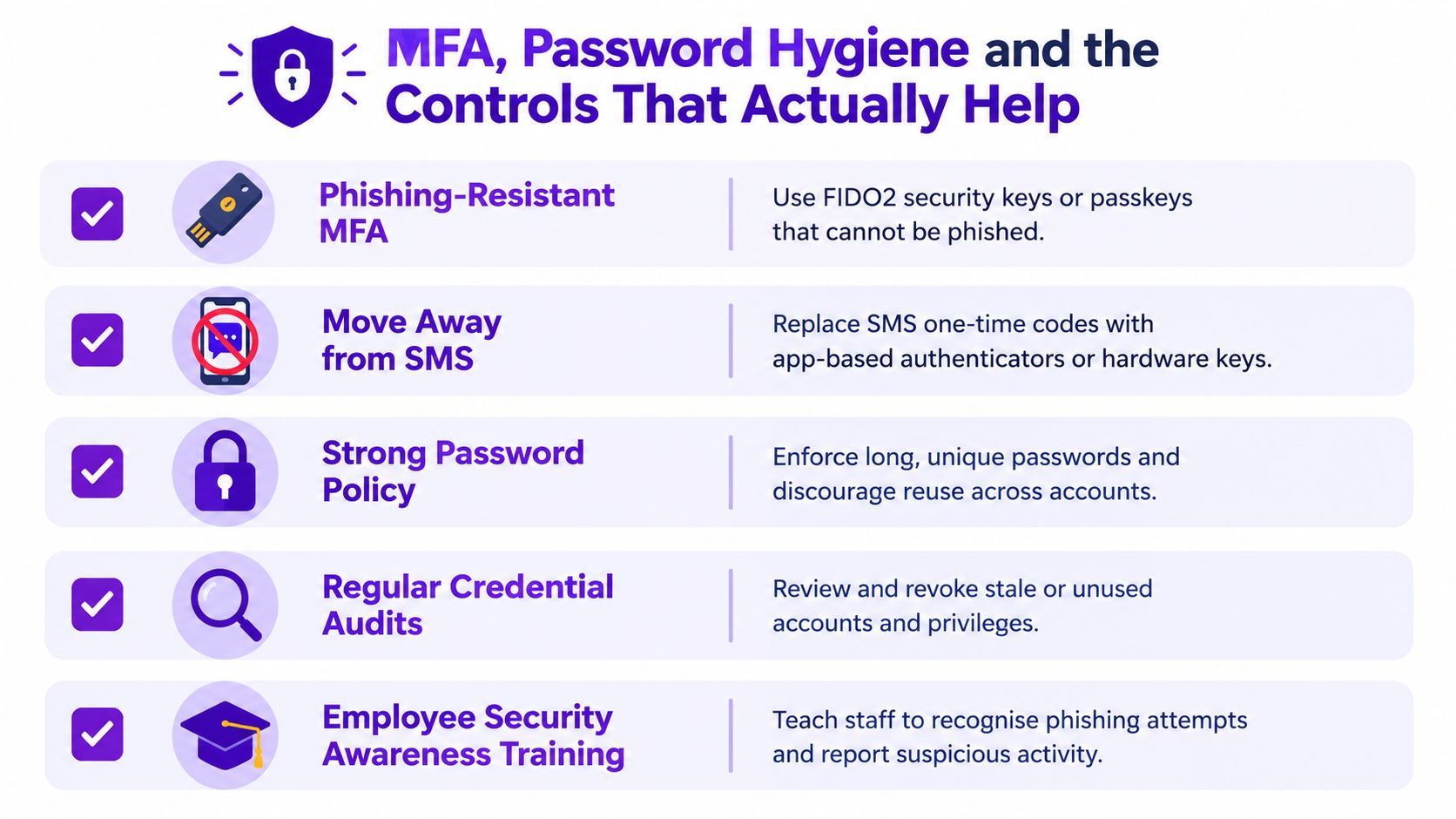
Start with phishing resistant MFA. FIDO2 security keys and passkeys are stronger than one time codes because they're designed to resist credential harvesting. SMS codes are better than nothing, but don't present them as the finish line. If a customer can move administrators, finance users and remote access accounts to stronger methods first, do that before debating the perfect rollout for everyone.
Disable legacy authentication paths that bypass modern MFA controls. Customers cut corners here. They enable MFA in the portal, leave an old protocol available for a forgotten application and assume the job is done. It isn't.
Passwords still need discipline
Password managers solve the reuse problem in a way memory never will. Generate a long, unique password for every service and store it properly. If a customer asks whether length alone makes an old password acceptable, point them to GoSafe Dark Web monitoring password advice and then reset any exposed credential anyway. A strong password that's already leaked is still leaked.
Run phishing simulations, but use them to coach rather than shame. Staff should know how to report a suspicious message, an unexpected MFA prompt or a sign in alert they don't recognise. Fast reporting gives you a chance to revoke a session before mailbox rules and payment fraud appear.
Audit accounts regularly. Remove leavers, stale administrators, unused service accounts and excessive privileges. Attackers value forgotten accounts because nobody watches them and nobody notices a password reset.
Where I'd spend first: Phishing resistant MFA for privileged users, password managers for everyone, legacy authentication off. In that order.
These controls reduce the chance a stolen credential can be used. They don't remove the need for monitoring. People will still reuse passwords, suppliers will still be breached and tokens will still be stolen.
What To Do When an Exposed Credential Is Found
Prevention alone won't save you. That's the assumption too many MSPs still sell. When an exposed credential appears, don't treat every alert as identical and don't wait for proof of misuse before acting on the dangerous ones. Triage first.
The underserved question is practical: a leaked credential has been found, there's no known breach of your systems, so what comes first? The NCSC material on identifying suspicious credential usage supports prioritising identity telemetry and rapid invalidation. Use privilege, business function, reuse likelihood, MFA status and suspicious sign in evidence to set the order.
A triage first playbook
- Escalate immediately: Administrators, finance users, senior executives, shared mailboxes, remote access accounts and any account with suspicious sign ins.
- Invalidate access: Force a password reset, revoke active sessions and tokens, and check whether MFA methods were changed or need re-registration.
- Inspect the account: Review mailbox forwarding rules, application consent, privilege changes, cloud access and recent authentication locations and devices.
- Check for reuse: Ask where else that password, or a close variant, may have been used and reset those accounts too.
- Record the decision: Note what was exposed, what you checked and why the account was closed, monitored or escalated.
No evidence of misuse doesn't mean no risk. It may mean the credential hasn't been tried yet, or the attempt didn't create an obvious alert. For a low privilege account with strong MFA, no reuse and clean sign in history, a prompt reset and monitoring may be proportionate. For an exposed administrator without phishing resistant MFA, act as if time matters, because it does.
Sometimes the exposed identity is a personal Google account that the employee also uses for recovery messages or shared documents. If they're locked out during the reset process, a practical resource for Google login recovery assistance can help them regain access before you secure the account properly. Don't let a recovery problem delay revoking work sessions.
Keep customer communication short and specific. Tell them what was found, what you've reset, what they must change elsewhere and what you'll continue watching. That clarity prevents alert fatigue and shows why dark web monitoring for MSPs must be tied to an agreed response process, not delivered as raw notifications.
Why This Matters for MSPs and Resellers
Many of your customers already have compromised credentials circulating without knowing it. You can either wait for that fact to become an incident, or you can sell them early warning as part of the services they already trust you for. White label dark web monitoring fits naturally beside IT support, cloud services, hosting, connectivity, telecom systems, VoIP, web services and SaaS resale.
It's also commercially straightforward. You can sell dark web monitoring under your own brand as a monthly subscription, which makes it a practical recurring revenue security service rather than another one off project. GoSafe is fully white label, requires no complex setup and doesn't require you to build security tools internally or employ a specialist security team. That low operational overhead matters for MSPs, IT support companies, telecom providers, hosting companies, web agencies, cyber consultants and technology resellers alike.
Business users don't want another complicated dashboard. They want a clear alert that says an email address or domain appeared in a breach, explains the severity in plain English and gives them a next step. That simplicity makes reseller dark web monitoring easy to explain, easy to attach to existing contracts and useful in renewal conversations. It strengthens customer relationships because you're bringing them visibility before an attacker brings them a problem.
If you're building white label security services, start with the accounts that carry the most risk, agree the reset process with the customer and make monitoring part of your standard stack. Then view the GoSafe reseller programme to see how the partner model works and book a demo.
GoSafe Dark Web monitoring continuously scans for compromised email addresses, exposed passwords and breached domains, then gives partners clear, actionable alerts they can deliver under their own brand. If you want to add a practical monthly service that helps customers respond to credential theft earlier, visit GoSafe Dark Web monitoring and explore how it fits into your existing portfolio.