A client calls after an employee's password appears in a breach notification. They want to know whether the account is still at risk, whether other staff are exposed, and what they should do next. Your technicians can investigate, but without a repeatable breach risk assessment tool, the process often becomes manual, inconsistent, and difficult to bill as an ongoing service.
That's why MSPs, IT support companies, telecom providers, hosting firms, web agencies, and SaaS resellers are adding dark web monitoring to their portfolios. The right platform doesn't just identify compromised email addresses or exposed passwords. It helps you package visibility, alerts, reporting, and response guidance as a recurring revenue security service under your own brand.
The buying decision is commercial as well as technical. You need enough coverage to produce useful findings, enough workflow control to prevent alert fatigue, and enough white-label depth to make the service yours in front of the customer.
Why Service Providers Are Looking at Breach Risk Assessment Tools
An MSP owner with a mixed base of small and mid-sized UK clients usually doesn't start by searching for another security platform. The trigger is more practical. A customer's mailbox has been compromised, a supplier has suffered a breach, or an employee has reused a password that later appears in leaked data. The client asks the MSP to explain the exposure, but the provider lacks a consistent way to check every relevant address and domain.
That conversation exposes a product gap. Endpoint protection, backup, Microsoft 365 support, connectivity, and cloud management may already be contracted, yet the customer still has no simple answer to the question, “Are our credentials exposed?” A monthly monitoring service fills that gap more naturally than another one-off assessment.
The UK threat picture makes the conversation commercially relevant. The UK Government Cyber Security Breaches Survey 2025 found that 43% of businesses, around 612,000 organisations, experienced a cyber breach or attack in the previous 12 months. The same survey recorded phishing as a particularly widespread problem, with 85% of businesses experiencing phishing attacks, according to the ICO annual report.
The portfolio decision
Customer awareness has moved faster than internal IT maturity. Business owners increasingly know that credentials can circulate through criminal marketplaces and breach collections, but they don't want a complicated dashboard filled with unfamiliar terminology. They want a clear alert, an explanation of what was exposed, and a practical next action.
For the service provider, that creates a product that can sit beside existing contracts:
- IT support: Add monitoring to a managed support agreement and give technicians a defined response workflow.
- Cloud and hosting: Include domain and account exposure checks as part of ongoing account care.
- Telecom and VoIP: Use credential exposure as a natural security conversation with customers managing remote users.
- Web services: Offer monitoring alongside domain management, hosting, and business email services.
Larger MSSPs already bundle breach monitoring into broader packages. Smaller resellers can either build their own tooling, partner with a provider, or leave the conversation to competitors. Building internally usually creates unnecessary maintenance and reporting work. Partnering gives the MSP a faster route to market while preserving the customer relationship.
Commercial rule: Don't buy a breach risk assessment tool only because it detects data. Buy one you can explain, deliver, report on, and renew every month.
What a Breach Risk Assessment Tool Actually Does
A breach risk assessment tool checks whether business identities and domains appear in compromised or exposed data, then turns those findings into a prioritised response process. In plain English, it answers four questions: what was exposed, who is affected, how serious is it, and what should happen next?
The first function is continuous monitoring. A dark web monitoring service scans relevant breach sources, leaked credential collections, and other exposed data locations for company email addresses, domains, passwords, or related identifiers. GoSafe, for example, is positioned as a Dark Web Monitoring tool that detects compromised email addresses, exposed passwords, and breached domains, with alerts designed for business users rather than specialist security analysts.
From raw matches to usable risk
Detection alone isn't enough. A list of exposed addresses may look impressive but still leave a technician unsure which account deserves immediate attention. A useful platform applies risk scoring and context, helping distinguish a privileged administrator, a finance mailbox, and a dormant user account from a generic match.
Alerting is the third layer. Findings should reach the right people through clear email notifications, dashboards, or integrations with the PSA and ticketing workflow. The alert should identify the affected domain or account, describe the exposed data, and recommend a response such as checking account activity, resetting a compromised password, or investigating reuse.
The NCSC advises people to check whether their details appear in a public breach and to change passwords that have been exposed or reused elsewhere in its data breach guidance. Its guidance on suspicious credential usage also recommends defining normal privileged-account activity, investigating activity outside that norm, and resetting or locking suspicious accounts.
Reporting turns technical findings into customer value. A client-ready report should show breach history, affected identities, the type of data exposed, and recommended actions without forcing the customer to interpret raw records. That reporting layer is where many technically capable tools fail commercially.
A breach risk assessment isn't a penetration test or a vulnerability scan. A vulnerability scan looks for weaknesses in systems, applications, or configurations. A dark web assessment looks for evidence that identities or data have already appeared in exposed sources. They complement each other, but they answer different questions.
Before choosing a platform, assess the criteria that determine whether those four functions work in practice.

For broader supplier and third-party checks, these vendor risk evaluation tips provide useful context. They're particularly relevant when a reseller wants to include supplier exposure rather than limit the service to credentials.
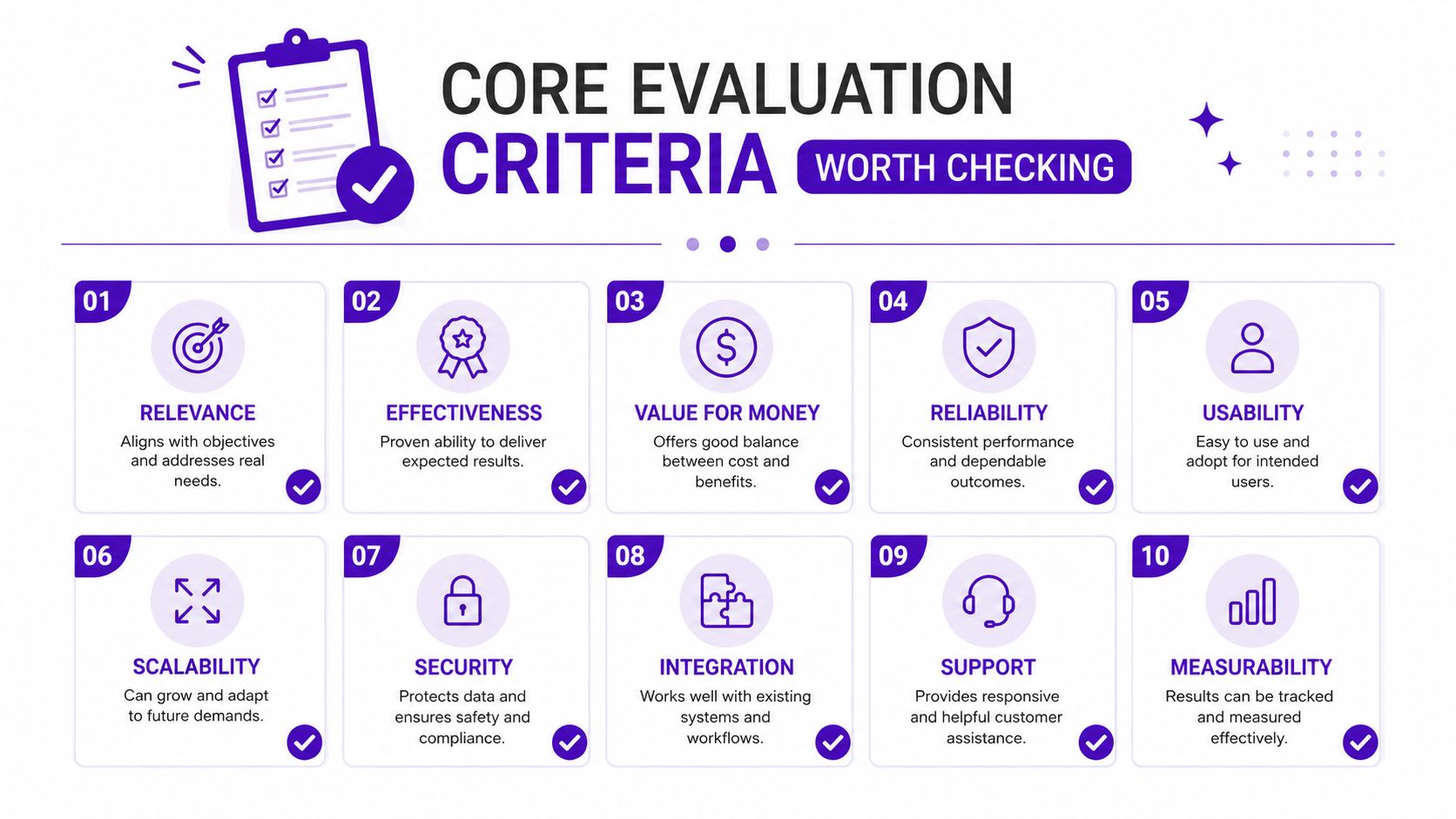
Core Evaluation Criteria Worth Checking
A polished demonstration can hide a weak operating model. Evaluate the tool as if your technicians must use it every working day and your customers must understand its reports without a security consultant sitting beside them.
Coverage breadth and data freshness
Start with the sources. The platform should monitor more than a narrow set of recycled breach records, and the provider should explain how it identifies new exposures, validates matches, and handles duplicate data. “Real time” is often used loosely, so ask what the alerting promise means operationally. Does it refer to the scan cycle, the source feed, or the moment a record becomes visible?
Coverage should also match the service you intend to sell. A tool focused only on email addresses may miss mobile numbers, domain exposure, breached company data, or legacy records. UK organisations face data-loss risks beyond online credentials. Reporting on ICO data recorded 1,820 paperwork breaches in 2025, including 330 involving employee data and affecting up to 28,000 workers, as described by Security Brief UK. A dark-web-only product won't cover every records-management failure, so position it accurately.
Risk scoring and prioritisation
Volume isn't risk. A platform should help you prioritise a compromised administrator or finance account above a low-value, inactive address. Look for configurable context, severity explanations, breach history, and recommendations that a technician can act on.
The UK Government's technical survey framework measures prevalence, frequency, incident counts, and financial cost, which supports using both likelihood and impact rather than ranking findings by volume alone. A risk assessment guide for MSPs can help teams turn those principles into a repeatable customer workflow.
Alerting and integration
Email alerts are useful, but they shouldn't be the end of the workflow. The platform should support routing into the systems your technicians already use, whether that's a PSA, ticketing tool, RMM process, or customer reporting pack. Noise suppression matters just as much. If every finding creates a ticket without context, technicians will either spend too long triaging or stop treating alerts seriously.
The NCSC's password policy guidance recommends prioritising high-value accounts, avoiding password reuse across work and home, and applying stronger protection to administrator, cloud, and remote-user accounts. A platform that supports those distinctions gives your team a better basis for response than a flat list of matches.
White-label depth
For resellers, white-labeling isn't a logo upload. Check whether you can brand the portal, reports, alert emails, support language, and customer-facing domain. Confirm that each customer gets a separate tenant and that your team can manage multiple accounts without mixing data.
The commercial test is simple. Could a customer believe they're buying a service from your company, with GoSafe operating behind it? If not, you're still acting as a referral partner rather than selling a defensible service.
Deployment and Commercial Models Compared
Deployment affects more than implementation. It determines who carries the support burden, who owns the brand, how invoices are issued, and whether the service becomes a repeatable revenue line or another internal project.
| Model | Best Fit | Operational Burden | Branding Control | Margin Potential |
|---|---|---|---|---|
| Self-hosted appliance or virtual machine | Organisations needing direct infrastructure control | High, with maintenance, updates, monitoring, and troubleshooting handled internally | High technically, but customer presentation still requires development | Variable, often reduced by technician time |
| Direct SaaS subscription | Businesses wanting rapid access for internal use | Low to moderate, depending on account and alert management | Limited, usually the vendor's brand remains visible | Limited for resellers, because the provider remains a middle layer |
| White-label reseller platform | MSPs, IT providers, telecom firms, and technology resellers | Low, with the platform provider maintaining the service | High, including company branding and customer-facing packaging | Stronger, because the partner controls pricing and owns the relationship |
Self-hosted control comes at a cost
Self-hosted tools can suit organisations with established security operations, internal infrastructure teams, and a clear reason to keep data processing close to their own environment. For an MSP serving multiple customers, the burden grows quickly. Updates, source maintenance, tenant separation, backups, access controls, and support all become your responsibility.
That may be worthwhile for a larger security operation building a broader platform. It's usually a poor fit for a provider that wants to add a sellable monitoring service without hiring a dedicated security team.
SaaS speed versus reseller economics
A direct SaaS subscription is easier to deploy. The MSP can buy access, add customer domains, and start monitoring without building infrastructure. The weakness is commercial: customers may see the vendor's brand, the MSP may have limited control over reports, and the resale margin can be difficult to defend.
A white-label reseller model shifts the balance. The service provider can brand the platform as its own, set its own commercial package, and include monitoring beside support, hosting, connectivity, or cloud services. GoSafe is designed for this model, with continuous scanning for compromised credentials and clear alerts delivered through email and a user-friendly dashboard.
Practical test: Choose the model that lets your team deliver the service repeatedly without turning every alert into a custom engineering exercise.
Feature Set Comparison Across Common Tool Categories
Tool categories often look similar in a procurement spreadsheet, but they serve different buyers. Enterprise platforms usually prioritise breadth, governance, and integration depth. Generic SaaS monitoring tools prioritise fast access. Reseller platforms focus on packaging the service for multiple customers.
| Capability | Enterprise Platforms | Generic SaaS Tools | Reseller Platforms, for example GoSafe |
|---|---|---|---|
| Coverage breadth | Broad, often across several intelligence and security domains | Usually focused on exposed credentials and selected breach sources | Built around practical credential, email, domain, and breach monitoring |
| Credential monitoring | Detailed controls and investigation features | Straightforward matching and notifications | Designed for repeatable customer monitoring and clear findings |
| Domain monitoring | Often available with extensive configuration | May be basic or absent | Core feature for monitoring company email domains |
| Risk scoring | Deep, configurable, and sometimes difficult for SMB users | Often simple or volume-led | Intended to make severity understandable for business users |
| Alerting channels | Email, APIs, SIEM, SOAR, and workflow tools | Usually email and portal notifications | Clear alerts, dashboards, and potential PSA workflow connection |
| RMM and PSA integration | Strong, but may require implementation work | Often limited | Important evaluation point for MSP delivery |
| White-label depth | May require separate modules or professional services | Usually minimal | Brandable service, portal, reports, and customer presentation |
| Report customisation | Detailed, but can be over-engineered | Basic exports | Customer-ready breach breakdowns and branded reporting potential |
Enterprise tools can be the right choice for a large MSSP with analysts who need threat intelligence, investigation, and API access. They can also be too complex for an SME customer who needs to know that an account is exposed and what action to take.
Generic SaaS tools are quick to adopt, but a reseller can struggle to create defensible margin if the customer sees the same public-facing product available directly. Basic email alerts also leave technicians manually converting findings into tickets and quarterly business review content.
Reseller platforms sit between those extremes. The value isn't just the scan. It's the combination of multi-tenant delivery, understandable alerts, branded reports, and a commercial structure that supports monthly billing. Review whether the platform handles breached domains, exposed passwords, and customer-specific reporting without forcing your team to assemble the output manually.
For UK-focused providers, supplier and non-digital exposure also deserves attention. The government survey found that only 15% of businesses reviewed the cyber risks of immediate suppliers, while 6% assessed the wider supply chain, according to its 2025/2026 technical report. A credential monitor won't replace supplier governance, HR controls, or records management, but it can become one useful layer in a broader risk conversation.
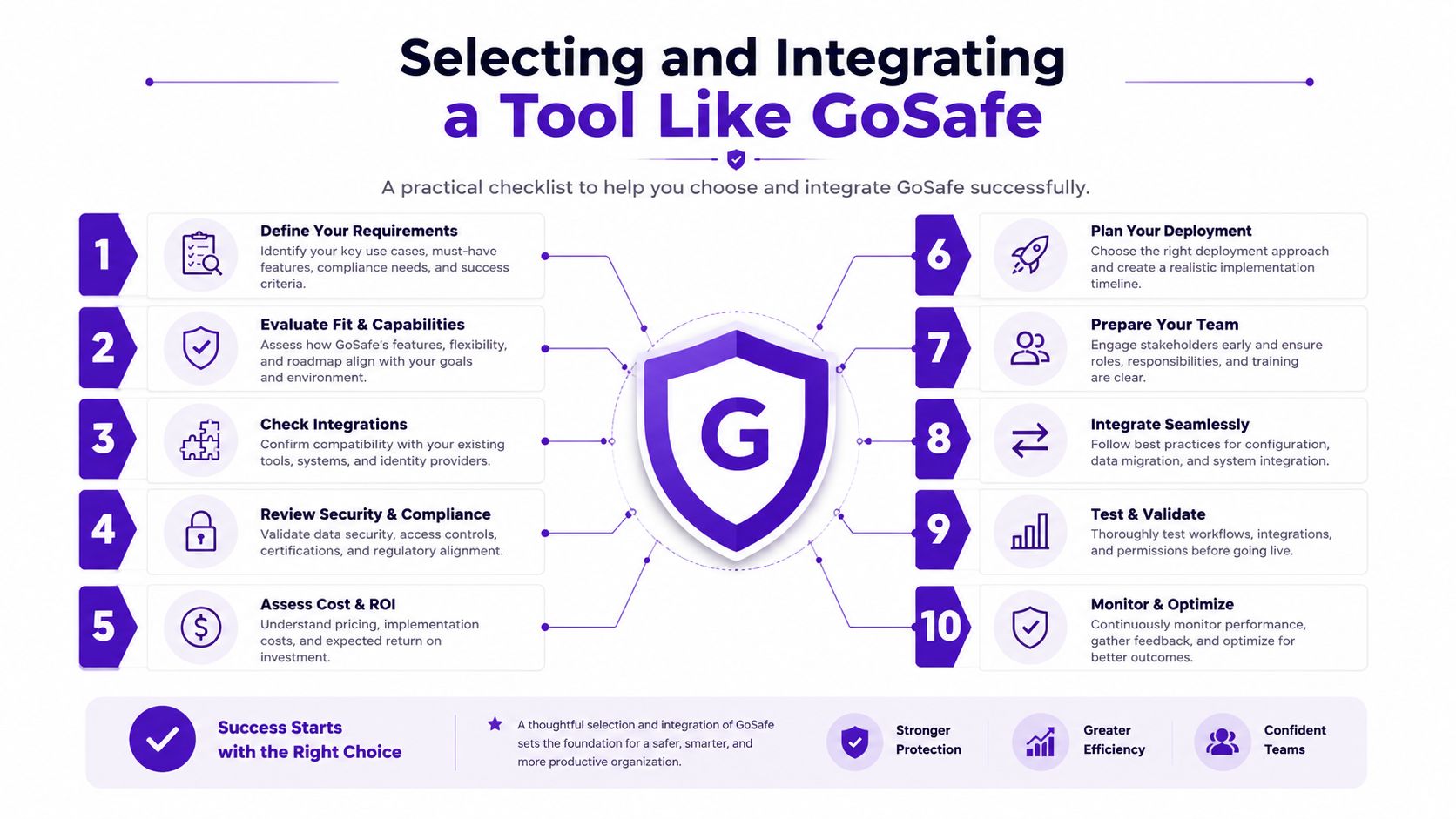
Selecting and Integrating a Tool Like GoSafe
Treat the trial as a service-design exercise, not a feature tour. You're testing whether your team can sell the output, interpret the alerts, and deliver a consistent customer experience.
Start with the customer view
Add a representative domain and a controlled set of test identities. Review the dashboard, breach history, risk score explanations, alert language, and recommended actions. Ask whether a non-technical business owner could understand the result without a call from an engineer.
Then inspect the report. Can you apply your logo and company details? Does the report explain what was exposed without revealing unnecessary sensitive data? GoSafe includes breach breakdown reporting, redacted breach previews, domain monitoring, mobile phone number monitoring, and instant breach search for email addresses, domains, or user accounts.
Design the commercial package
Decide what the customer is buying before you load the first account. You might price by domain, by monitored user, or through a bundled service tier. The right model depends on your existing contracts and customer expectations, but the scope must be explicit.
Define included domains, mailboxes, phone numbers, brand keywords, report frequency, alert handling, and response responsibilities. Don't promise investigation or remediation if your monthly price only covers monitoring. how MSPs can sell dark web monitoring becomes a useful commercial reference.
Connect the workflow
Route actionable alerts into the PSA where possible. Create a ticket category, severity rule, owner, and customer communication template. Add a summary to quarterly business review packs so the service becomes part of an ongoing conversation rather than an invisible background subscription.
Train technicians to interpret the score and context. They shouldn't forward every alert without checking whether the account is active, privileged, reused elsewhere, or already remediated.
Use this pre-signing checklist:
- Coverage: Confirm the sources, identifiers, domains, and data types monitored.
- Freshness: Ask how the provider defines current or near-current data.
- Prioritisation: Test whether high-value accounts receive meaningful differentiation.
- Alert quality: Review a real notification, not only a presentation screen.
- Reporting: Check the customer report for clarity and branding.
- Tenant separation: Verify that customer data remains isolated.
- Workflow: Confirm PSA, ticketing, email, or API options.
- Commercial scope: Document domains, users, reports, and response boundaries.
- Technician readiness: Give staff a clear interpretation and escalation process.
- Renewal case: Identify the recurring customer outcome you'll review each month or quarter.
Recommendation for MSPs and Resellers
Choose the breach risk assessment tool that fits your delivery model, not the one with the longest feature list. A platform can have excellent intelligence coverage and still be commercially useless if your technicians can't triage findings, your reports can't carry your brand, or your customers don't understand the output.
MSPs managing a substantial base of SME clients should prioritise multi-tenant SaaS, white-label reporting, simple risk scoring, and reliable PSA workflows. Smaller resellers may prefer a credit-based platform that lets them start with selected customers without committing to a large operational project. Larger MSSPs should look for API-first tooling they can wrap inside their own portal, reporting, and security operations processes.
The recurring revenue case is straightforward. Monthly breach monitoring gives you a defined service to package beside support, hosting, cloud, connectivity, telecom systems, or web services. It also creates a regular reason to speak with the customer about identity protection, password reuse, staff awareness, supplier risk, and response readiness.
Don't over-customise before you've confirmed demand. Start with a clear offer, a limited response scope, and reports that customers can read. Expand the service only when clients understand its value and your team can deliver it without excessive manual work.
Service providers that want to own the customer relationship should become a GoSafe white-label partner. The right platform is the one you can sell under your own brand, deliver with low overhead, and renew because the customer sees useful evidence of ongoing protection.
GoSafe Dark Web monitoring provides continuous scanning for compromised email addresses, exposed passwords, and breached domains, with clear alerts and customer-friendly risk reporting. Visit GoSafe Dark Web monitoring to connect this breach risk assessment approach to a white-label service your business can package, sell, and manage as a recurring subscription.