Approximately 699,000 UK businesses, 49% of the total, had a basic technical cyber security skills gap, according to the UK Government's cyber security labour-market findings. For resellers choosing cyber security software, that changes the buying question. The priority isn't how many alerts a product generates, but who acts on them and how quickly they can reduce the customer's exposure.
Why One Product Does Not Cover Every Threat
The UK Government's Cyber Security Breaches Survey 2025 found that 43% of UK businesses experienced a cyber breach or attack during the previous 12 months, rising to 67% of medium-sized businesses and 74% of large businesses. Selling every customer the same security package ignores the different ways those organisations operate.
Consider an accountancy practice buying new laptops and cloud email. Its owner asks the IT provider for antivirus, reasonably assuming that means the business is protected. But a criminal signing into a mailbox with an exposed password may never put malware on a laptop.
Cyber security software is a collection of tools answering different questions. What's happening on a device? Which events across the network belong together? Is confidential information leaving the business? Have staff credentials appeared in breach data?
Match the control to the failure
A building needs locks, cameras, a fire alarm and a visitor log. Cameras don't extinguish a fire, and a good lock doesn't tell you who entered using a legitimate key. Security tools have similarly distinct responsibilities.
For a reseller, each responsibility creates a different service commitment:
- Device threats: Someone must assess suspicious processes and authorise containment.
- Cross-system incidents: Someone must connect events, investigate their sequence and decide what happened.
- Data handling: A customer policy owner must define acceptable movement of sensitive files.
- Credential exposure: A named contact must arrange account checks and corrective action.
Practical rule: Don't sell an alert unless you can explain who receives it, what they should do and how you'll confirm completion.
That responsibility matters commercially. A tool that requires investigation can become an expensive support obligation if the monthly subscription only covers a licence.
Start with the customer's working environment and your delivery capacity. An MSP with trained technicians can support device containment; a telecoms reseller may be better placed to offer understandable credential alerts with an agreed escalation route. The useful distinction is the problem each category solves, the customer it suits and the response you can realistically deliver.
Five Categories of Cyber Security Software at a Glance
Cyber security software categories by question answered
| Category | Question it answers | Typical buyer | Specialist needed |
|---|---|---|---|
| Endpoint detection and response (EDR) | Is a device behaving maliciously right now? Watches laptops, servers and workstations. | Businesses operating managed devices | Trained admin or managed SOC |
| SIEM | What happened across every connected system and log? Watches firewall, cloud application and identity events. | Organisations with interconnected networks and services | Analyst or managed service |
| Data loss prevention (DLP) | Is sensitive data leaving the business? Watches selected files, messages and transfer channels. | Firms holding client, payroll or card data | Policy owner and regular review |
| Managed monitoring (MDR) | Who investigates alerts outside office hours? Watches telemetry from supported security tools. | Businesses without an in-house security team | Provider's analysts |
| Dark web monitoring | Have staff logins or company domains been exposed? Watches breach intelligence for relevant identifiers. | Any business with email accounts and passwords | No specialist needed to operate the tool; provider reviews matches |
Read each row as a service commitment
EDR suits customers who need someone to identify suspicious device behaviour and contain affected machines. SIEM, short for security information and event management, suits organisations that need analysts to reconstruct activity across different systems.
DLP gives the customer a way to enforce rules about sensitive information, but requires someone who understands which transfers are legitimate. MDR, or managed detection and response, supplies analysts to investigate supported alerts, making it a delivery service rather than another sensor.
Dark web monitoring identifies exposed business information and starts an account-protection conversation. It doesn't require an installed agent on customer devices, which removes a deployment task and makes it an accessible starting point for service providers.
Separate products from operating models
These categories overlap. An MDR provider may use EDR telemetry and SIEM correlations to investigate an incident. Before reselling that service, establish whether the provider can isolate devices, disable accounts or only recommend those actions.
Antivirus, firewalls and multifactor authentication are preventive controls that sit alongside these categories. They're excluded from this comparison because the emphasis is on visibility, investigation and response, not because they're optional.
Don't treat the rows as competing replacements. A customer might need DLP for confidential documents and EDR for laptops, while buying investigation through an external provider.
Choose from the customer's biggest unanswered question, not the longest feature list. Then test the proposed service against your support model: access permissions, escalation contacts, operating hours and authority to make changes. A technically suitable product can still be commercially unsuitable if your team can't support its response requirements.
EDR and SIEM Compared by What They Watch
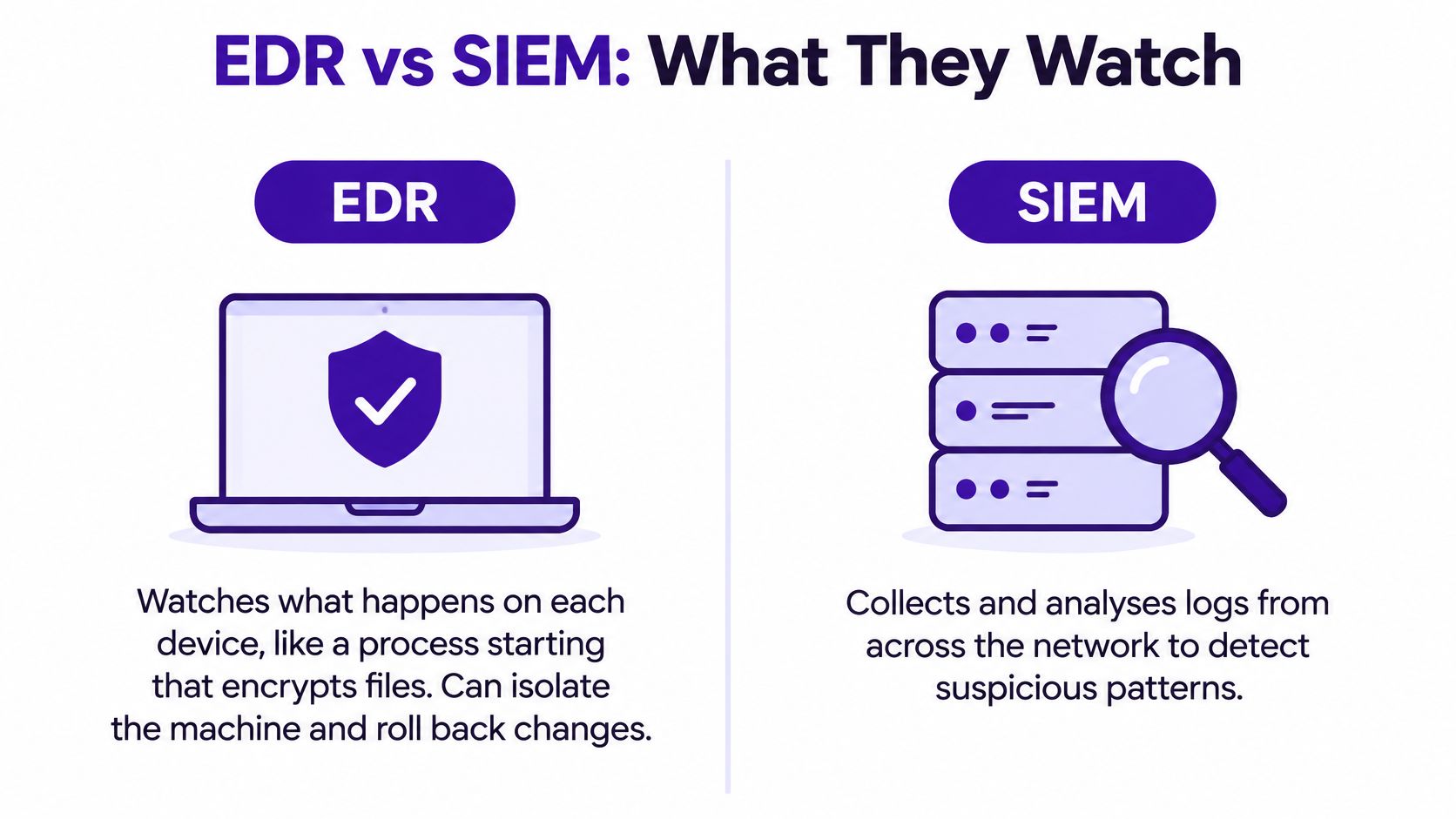
EDR watches activity on individual devices. It can recognise suspicious behaviour such as a process rapidly encrypting files, capture the process history and help an administrator isolate the affected machine. Some products can roll back supported changes, but that capability isn't universal and doesn't replace backups.
Device containment or cross-system investigation
Say an accountancy practice uses managed laptops and cloud email. Its immediate need is likely to be reliable EDR, identity monitoring and a technician authorised to respond. Buying a SIEM before anyone can investigate its output adds a queue, not a response capability.
An EDR alert might show that a document launched a script, which then attempted to encrypt shared files. The technician needs to assess the evidence, isolate the laptop where appropriate and check whether other accounts or devices were involved. Our guide to endpoint detection and response explained gives more detail on that device-level role.
SIEM collects and correlates logs across systems. Those inputs can include branch firewalls, servers, Microsoft 365 sign-ins, Google Workspace events and cloud applications.
Consider a larger organisation operating several branches, on-premises servers and different cloud services. A burst of failed sign-ins followed by a successful login and a new mail-forwarding rule might look unremarkable in separate consoles. A configured SIEM can bring those events together for investigation.
Budget for the work after collection
SIEM delivery requires decisions about which logs to ingest, how long to retain them and which detection rules deserve attention. Collecting everything without a defined purpose can increase storage costs and analyst workload.
EDR has its own operational demands. Agents need deployment and maintenance, exclusions need care, and device alerts need prompt triage. Isolating a production workstation or server may interrupt the customer's business, so response permissions must be agreed beforehand.
A dashboard showing suspicious activity isn't the same as an authorised person containing it.
Ask the customer these questions before recommending either category:
- Where does the risk sit? Identify whether the main concern is device behaviour, account access or activity spanning several systems.
- Which systems generate useful logs? Name the applications and infrastructure, then confirm that the proposed service supports them.
- Who will act? Agree the investigator, escalation contact and authority to isolate devices or restrict access.
Sell the response scope alongside the software. Licence resale alone won't cover the work needed when an ambiguous alert arrives during a busy trading period.
Data Loss Prevention and Activity Monitoring Explained
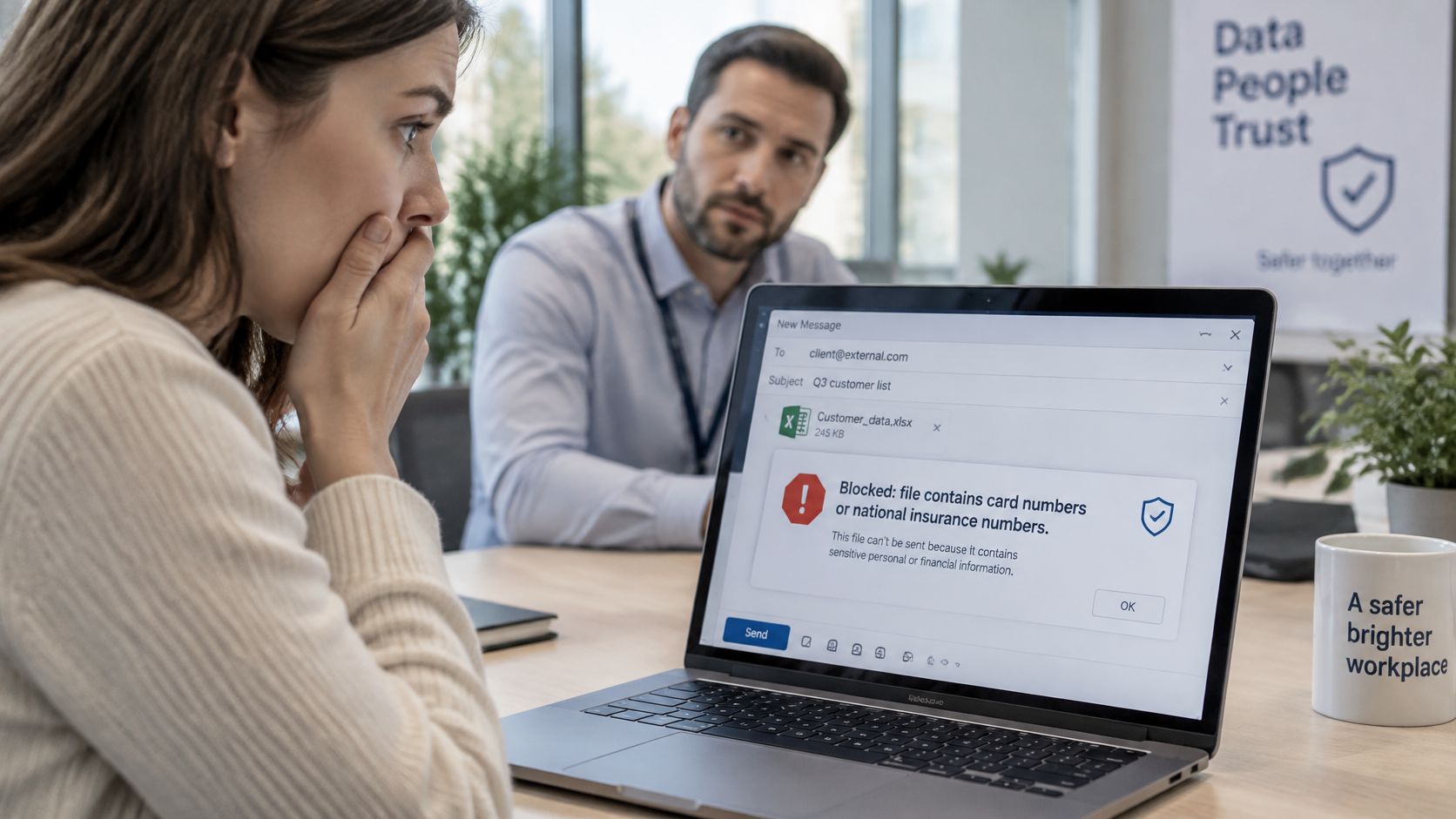
A payroll administrator tries to email a spreadsheet containing National Insurance numbers to a personal webmail address. A DLP policy can warn them, block the message or record the attempt for review, depending on the configured controls.
That's a more useful starting point than asking a customer whether they want data protection. It identifies a specific file type, business risk and decision.
Build a policy around an actual transfer
A practical DLP policy has distinct layers:
- Data to protect: Define the sensitive content, such as payroll identifiers, card information or labelled client documents.
- Channels to watch: Select email, web uploads, USB transfers or cloud synchronisation where the product supports them.
- Action to take: Choose a warning, a block or a logged event, with an exception route for legitimate work.
For the payroll example, begin with outbound email containing the relevant identifiers and an external recipient. Test in audit mode before enforcing blocks. Review actual matches with the payroll owner so the rule reflects how staff work.
Broad rules create false positives. If every spreadsheet triggers a warning, staff may stop taking warnings seriously or seek workarounds. Narrow rules have the opposite problem: they may miss reformatted information, unsupported channels or files outside the policy's scope.
Use activity records to answer a different question
Activity monitoring records who accessed a resource and when. It supports investigation and evidence gathering, including work needed to assess reporting obligations. It doesn't establish by itself that information was stolen or that a report is legally required.
Suppose a solicitor's firm investigates access by a former contractor. Its retained access logs show the account, folder path, and first and last access dates, revealing that the account continued opening a shared client folder after the engagement ended. The firm should also inspect permissions and account status to establish why access remained possible.
Start with a policy the customer can explain to an employee. If nobody can explain why a transfer was blocked, the rule needs review.
For resellers, DLP is a policy-management service, not a set-and-forget licence. Name the customer's policy approver, document exceptions and agree how changes are tested. Draft a short policy for a single sensitive data type and transfer channel before expanding coverage.
Dark Web Monitoring Finds Exposed Logins Early
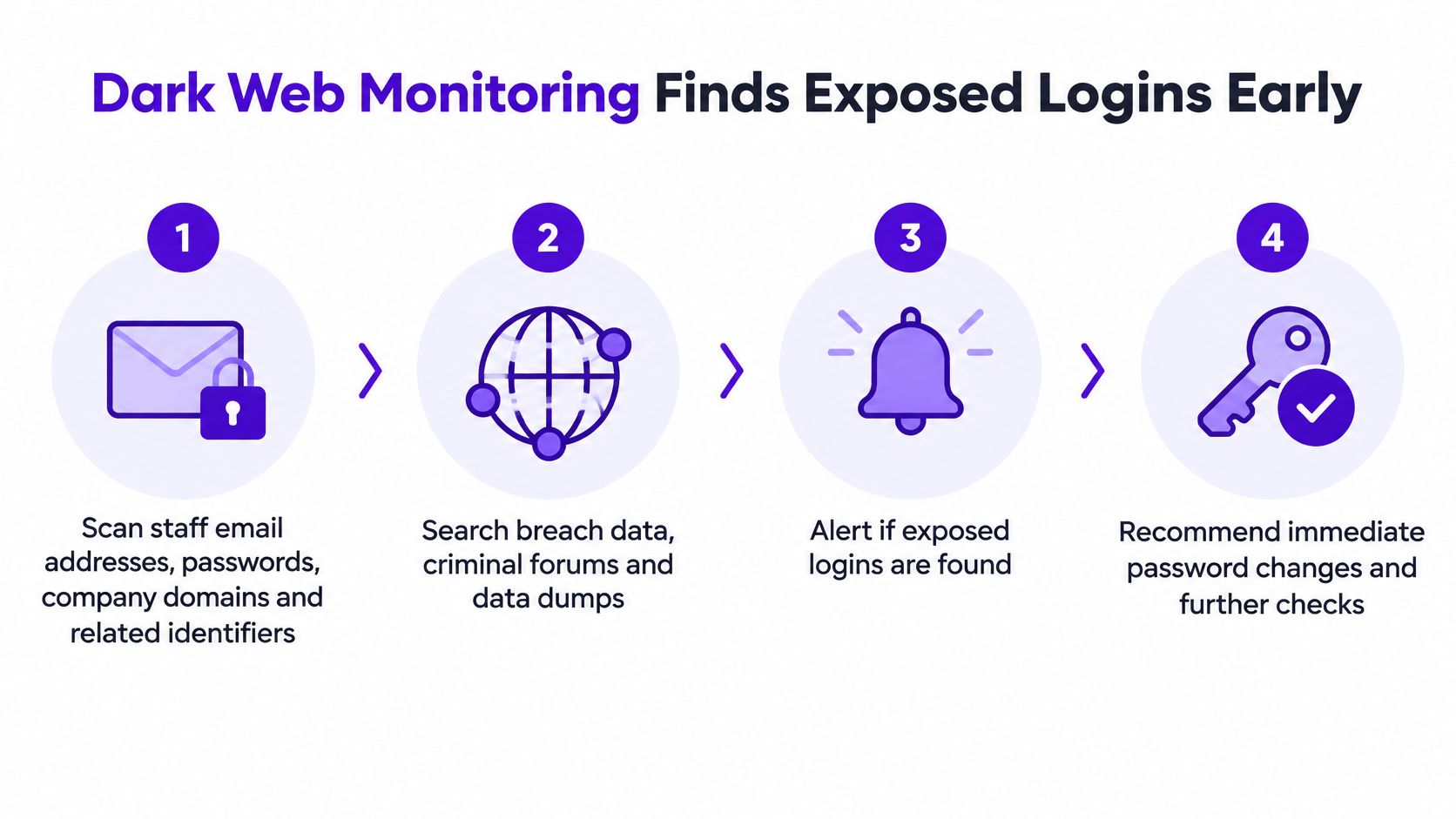
Dark web monitoring searches breach intelligence for staff email addresses, exposed passwords, company domains and related identifiers. Relevant material can appear in breach datasets, criminal forums and data dumps, although no service has complete visibility of every private criminal exchange.
The UK Government's National Assessment Centre fraud assessment explains that criminals use phishing and compromised data to take control of accounts directly or support other fraud. An old breach therefore deserves attention when the affected credentials are still usable.
Turn a match into completed action
GoSafe is a Dark Web Monitoring tool that scans the dark web 24/7 for leaked passwords and stolen company data. We monitor email addresses and related identifiers against known data breaches and publicly available breach intelligence, including third-party services. The tool runs in the background and alerts users when compromised data is discovered.
A workable response process follows these steps:
- Match the identifier. Connect newly available breach information to a monitored address or domain so the customer receives a relevant notification.
- Validate the relationship. Confirm that the identifier belongs to the customer and whether the account is current, historical or already disabled.
- Rank the account risk. Prioritise an active privileged administrator account above an ordinary mailbox with no current access, while treating confirmed password reuse seriously.
- Notify the affected user. Explain what was found and what they need to do, without circulating exposed passwords in email.
- Secure the account. Reset affected credentials, address reuse and enable multifactor authentication. Where compromise is suspected, review sessions, recovery methods and mailbox rules.
- Record closure. Document the action, responsible person and verification so an unresolved notification doesn't disappear into a support queue.
Prioritise relevance over notification volume
An exposed email address isn't equivalent to a current password for an administrator account. Treat historical, already-remediated matches as lower urgency, but don't dismiss a match merely because the underlying breach is old.
The value of detecting compromised credentials early depends on making that distinction. Customers need clear, simple alerts they can understand, rather than technical records without an explanation.
Many businesses may have compromised credentials in circulation without knowing it. Monitoring provides visibility and early warning, not proof that an account has been accessed or a guarantee that every exposure will be found. It identifies exposure rather than preventing attacks, so keep endpoint protection and MFA in the customer's security stack.
Packaging Dark Web Monitoring as a Recurring Service
Starting bundles and alert ownership by customer type
| Customer type | Starting bundle | Recurring service | Who handles alerts |
|---|---|---|---|
| Small accountancy | Dark web monitoring plus EDR on laptops | Ongoing exposure checks and endpoint alert triage | Reseller's IT support team, with customer account owner |
| Manufacturer with 100 to 250 staff, as a hypothetical customer | Managed EDR, dark web monitoring and scoped log monitoring | Device investigation and identity exposure review | Managed security provider, with site IT lead |
| Telecoms or VoIP provider with SME base | Dark web monitoring as connectivity add-on | Per-customer monthly fee | Reseller, with branded customer alerts |
| Multi-site hospitality group | DLP for card data plus dark web monitoring | Monthly policy and exposure review | Reseller, with customer sign-off |
The starting bundle should reflect both the customer's exposure and the partner's ability to respond. A support company can take responsibility for laptop triage; a connectivity reseller can offer credential monitoring without pretending to run a security operations centre.
Sell an accountable monthly service
Exposure changes as employees join, accounts change and breach information becomes available. That makes ongoing monitoring a credible subscription service, provided the customer understands what's included after detection.
Only 22% of UK businesses had an incident response plan, according to the Cyber Security Breaches Survey finding published by the Northern Ireland Cyber Security Centre. A documented escalation process can therefore be a meaningful service line, rather than an administrative extra.
For the accountancy, report exposure cases closed and device incidents handled. For the manufacturer, include investigation outcomes and unresolved actions requiring site approval. The telecoms reseller should report customer notifications and account-security follow-up, while the hospitality provider should summarise policy exceptions and exposure remediation.
Don't promise full incident response unless your team or delivery partner can provide it. Define the boundary between explaining an alert, helping reset access and investigating a confirmed intrusion.
Keep your brand and customer relationship
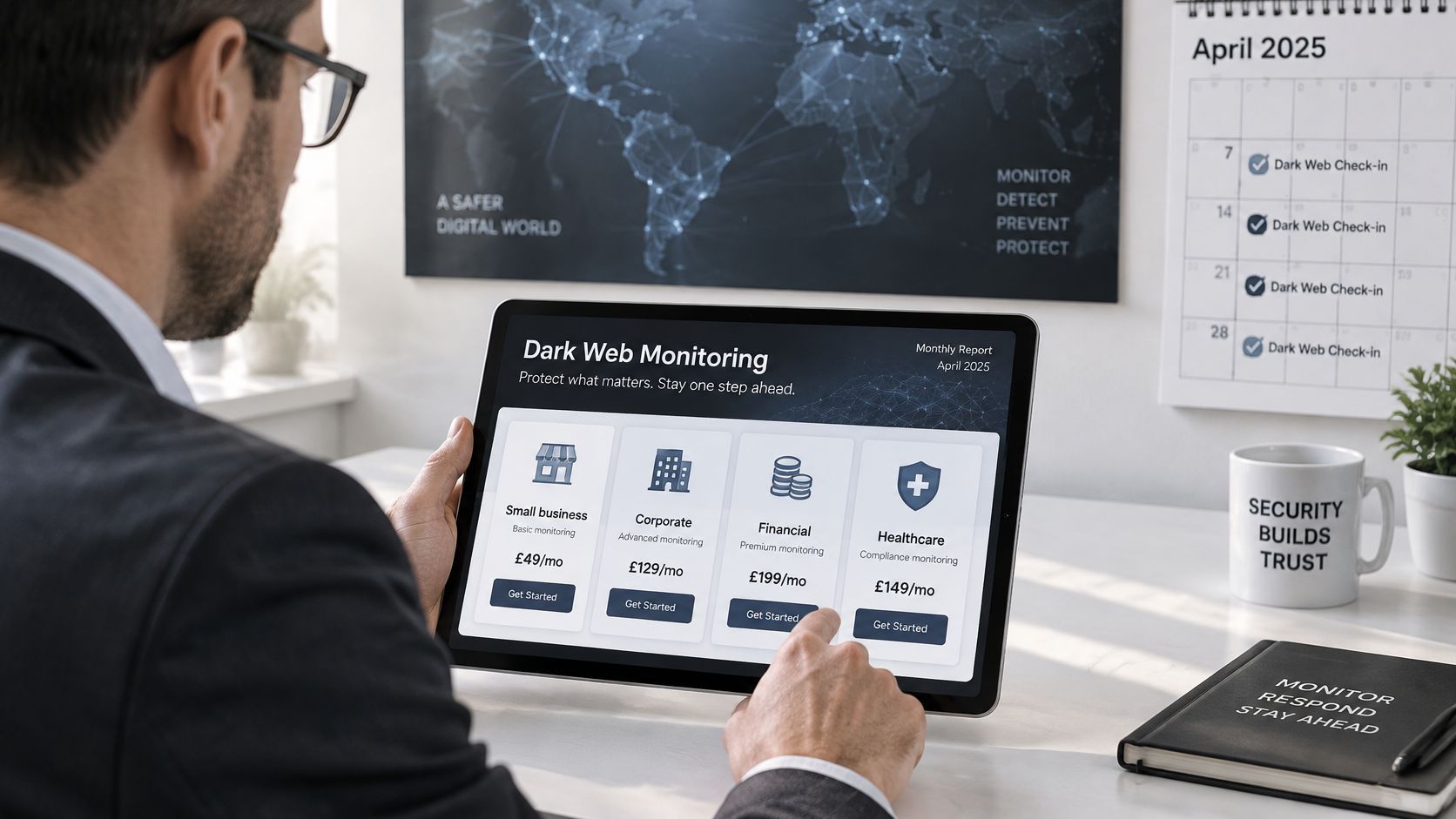
GoSafe is fully white-label. Partners can brand the platform as their own service, sell it under their company name and include it in their existing portfolio. You own the customer relationship rather than promoting another supplier's brand.
Our central dashboard lets MSPs and IT providers track risk scores, view breach history, detect dark web threats and receive real-time alerts across their customers. Branded customer portals and automated alerts support delivery under the partner's business identity.
There's no complex setup, no specialist security knowledge required to operate the tool and no need to build monitoring software internally. Routine management is minimal and doesn't require your own security team. However, account remediation still needs an authorised customer contact or IT provider, particularly where an alert suggests active compromise.
That distinction makes white label dark web monitoring suitable for IT support companies, telecom and VoIP providers, hosting businesses, web agencies, SaaS resellers and cyber consultants. Each can add the monitoring service to an existing commercial relationship without claiming capabilities outside its support remit.
Make the offer easy to understand
Position the subscription around a plain customer question: whether information associated with their business has appeared in known compromised data. Explain the monitored scope, notification process and assistance included.
A practical reseller dark web monitoring offer should specify:
- Coverage: Record the agreed identities, domains and customer contacts.
- Notification ownership: Identify who reviews matches and who receives customer-facing alerts.
- Included assistance: Describe password-reset guidance, escalation and closure recording.
- Service boundaries: Separate routine monitoring from chargeable investigation or specialist response.
This makes a dark web monitoring service for businesses easier to explain alongside hosting, cloud services, connectivity, telecom systems or web support. Avoid selling an unlimited security promise inside a modest monitoring subscription.
Demonstrate value without manufacturing urgency
A quiet month isn't evidence that a customer no longer needs monitoring. Report the agreed scope, monitoring activity where records are available, matches reviewed, cases closed and password resets confirmed.
Use your service records to calculate notification times and remediation completion. Don't imply that every metric is automatically available in the product, and don't report a reset as complete merely because you sent instructions.
The commercial benefit comes from a consistent service relationship. Proactive reviews give customers a reason to discuss access changes, joiners and leavers, and additional controls. That can strengthen retention and service stickiness without relying on fear-driven sales messages.
Choose a first service you can support
For resellers without a security team, dark web monitoring is a practical first addition because it needs no endpoint agent and supports a straightforward customer conversation. Weigh that simplicity against the customer's actual risk: a business struggling with unmanaged devices may need endpoint work first.
Build relevant upsells from confirmed needs. Credential exposure can justify an MFA rollout or password-reuse review; unmanaged laptops can lead to endpoint protection; sensitive file transfers may warrant DLP. These are complementary services, not reasons to inflate the initial bundle.
Review the GoSafe reseller programme for IT providers to learn how the tool works and book a demo. Test your branded offer with a small group of existing customers, checking onboarding, alert wording, escalation ownership and support effort before a wider launch.
GoSafe Dark Web monitoring offers continuous exposure monitoring and understandable alerts that partners can deliver under their own brand. Visit GoSafe Dark Web monitoring to explore how this category fits your service portfolio, then use the reseller programme to plan a demo and a manageable monthly offer.